Val Controls A/S • Limfjordsvej 3 • DK-6715 Esbjerg N • Tel. +45 7547 0600 • Fax +45 7547 0611
vc@valcontrols.com • www.valcontrols.com
3 Installation guide
1. Connect all wires and make sure that all is connected correctly according to the hardware
manual/installation drawings.
2. Configure the unit using ValConnect or the display and keyboard
a. Configure the valve function, see 5.4.2 Advanced menu.
b. Configure position feedback, see 5.4.2 Advanced menu.
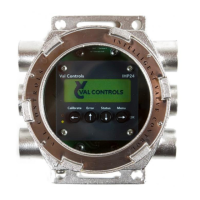
3. Auto calibrate the unit by pushing CAL button or using ValConnect, see 5.1.1 Automatic.
4. After a successful calibration the green indicator will light, see 4.4.6 Indicator.
5. If the red is light, there was an error during calibration. Press error on the keyboard and see
the error no. on the display or connect ValConnect and see what the error message is and go
to the manual to get an explanation on the error no. and how to solve it, see 7 Error no.



 To Next Page