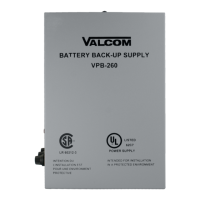
VSP-VP-6124-UPS
Issue 3
1 947271
VP-6124-UPS
ADD ON OPTION FOR THE VP-6124/VP-6124-E
POWER SUPPLY
INTRODUCTION
The VP-6124-UPS is an optional unit that allows the
VP-6124/VP-6124-E to supply power during a power
outage.
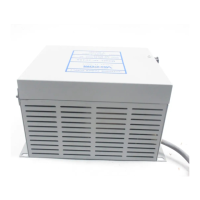
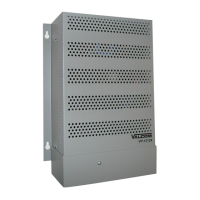
The VP-6124-UPS is comprised of a VP-6124-UPS
(Charger) and a VBB-1424 (Battery Enclosure). The
VP-6124-UPS connects to the VP-6124 Power Supply
(To receive power to charge the batteries).
Listed below are specifications and recommendations
for power sources as well as precautionary
instructions.
UPS Float Standby Charging
Charging Voltage: 27.6 Volts (13.8 Volts per battery)
Current Limit: 900mA charging
100mA at 27 Volts final charge
Fusing: 1 Amp auto-reset polyswitch
6 Amps accidental reverse battery polyswitch
Time Required to Recharge Battery
7AH Battery: 14 hours
Length of Time Battery Will Provide
Power
• With four 7AH 12V batteries for 14AH total
3 Amps load draw: 3 hours run time
6 Amps full load: 1.5 hours run time
Use of batteries greater than 7AH is not
recommended since 90% of all power outages are less
than an hour in length and the time to evacuate a
building is less than an hour.
NOTE: To insure trouble-free UPS back-up
operation, five years batteries must be replaced five
years from the date of manufacturing.
DIMENSIONS/WEIGHT
• 10.30"H x 3.50"W x 2.25"D
• (26.16cm H x 8.89cm W x 5.72cm D)
2.90 lbs. (1.32 kg)
INSTALLATION
The VP-6124-UPS (Charger) is designed for wall
mounting only. Screw the mounting plate to the wall
near the VP-6124/VP-6124-E and position the
VP-6124-UPS onto the mounting plate.
Attach the UPS unit securely to the bracket lip using
the 6-32 x 3/8" long Phillips head self-tapping screw
supplied. Place the VBB-1424 on the floor within six
feet of the unit.
CONNECTIONS
• Disconnect AC power from the power supply.
• Remove plug button from the VP-6124/VP-6124-E.
• Remove wire access cover from the
VP-6124/VP-6124-E.
• Using the cable designated by the tag labeled
Valcom P/N WA-784 with four positions
connector and attached to VP-6124-UPS
(Charger), place the Molex connector through the
hole on the power supply and connect the
charger to the Molex input connector on the
VP-6124 Power Supply.
• Snap strain relief into place.
• Replace wire access cover on the
VP-6124/VP-6124-E.
• Remove cover from Battery Backup.
• Push cable labeled Valcom P/N WA-783 with two
positions connector through the hole on the
battery enclosure and snap strain relief into
place.

 Need help?
 General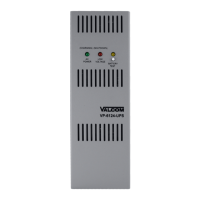

 To Next Page