EasyManua.ls Logo

Valko CVE Series - User Manual

Valko CVE Series
10 pages
Print Icon
To Next Page IconTo Next Page
Loading...
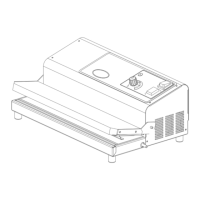
Outside vacuum packaging machines
“CVE” series
Mod. CVE-300 SECCO
Mod. CVE-420 SECCO
Mod. CVE-420 OLIO
INSTRUCTIONS FOR INSTALLATION,
USE AND MAINTENANCE

Questions and Answers

  • S
    shawrachelAug 12, 2025
    How to troubleshoot a blank display on Valko CVE Packaging equipment?
    • G
      Gabriel ThompsonAug 12, 2025
      If nothing is shown on the display of your Valko Packaging equipment, first ensure that the main switch is turned ON. Then, check if the plug is correctly inserted into the socket. Finally, inspect the cable for any damage and replace it if necessary.
  • J
    Juan BarrAug 21, 2025
    Why is the pump not working on my Valko CVE Packaging equipment?
    • A
      Amber ScottAug 21, 2025
      If your Valko Packaging equipment's pump isn't working, there could be a few reasons. One potential cause is that the room temperature is lower than 12°C. In this case, place the equipment in a room where the temperature is higher than 12°C. Another potential cause is that the electrical connection is wrong, so ensure that the equipment is connected with a minimum cable section as described in the manual.
  • N
    Natalie BlackburnAug 31, 2025
    What to do if my Valko Packaging equipment is not creating a vacuum in the bag?
    • C
      Chelsea McmillanAug 31, 2025
      If no vacuum is being created in the bag by your Valko Packaging equipment, consider these potential causes: * The bag may be defective, so replace it. * The bag might not be inserted correctly; verify its placement as shown in fig. 2. * The weather strip (seal) may be damaged; replace it.

Valko CVE Series Specifications

General IconGeneral
BrandValko
ModelCVE Series
CategoryPackaging equipment
LanguageEnglish