SYSTEM SETUP
SYSTEM SETUP
Press
SETUP
button on the remote control to display the setup menu. It include General Setup Page, Audio Setup Page, Video
Setup Page, Preference Setup Page, Password Setup and
Exit
Setup menu.
1.
Within the setup menu, you can use [ A
J[
Y
J[
-(
J[
~
] buttons on the remote control to move the cursor, and then press the
ENTER/PLAY button to make your selection. Press [
-(
] can return to the previous menu.
2.
To
exit setup menu, you can press SETUP button.
1.
GENERAL SETUP PAGE
Setup
TV
screen display format and on screen display language.
1.1
SCREEN DISPLAY
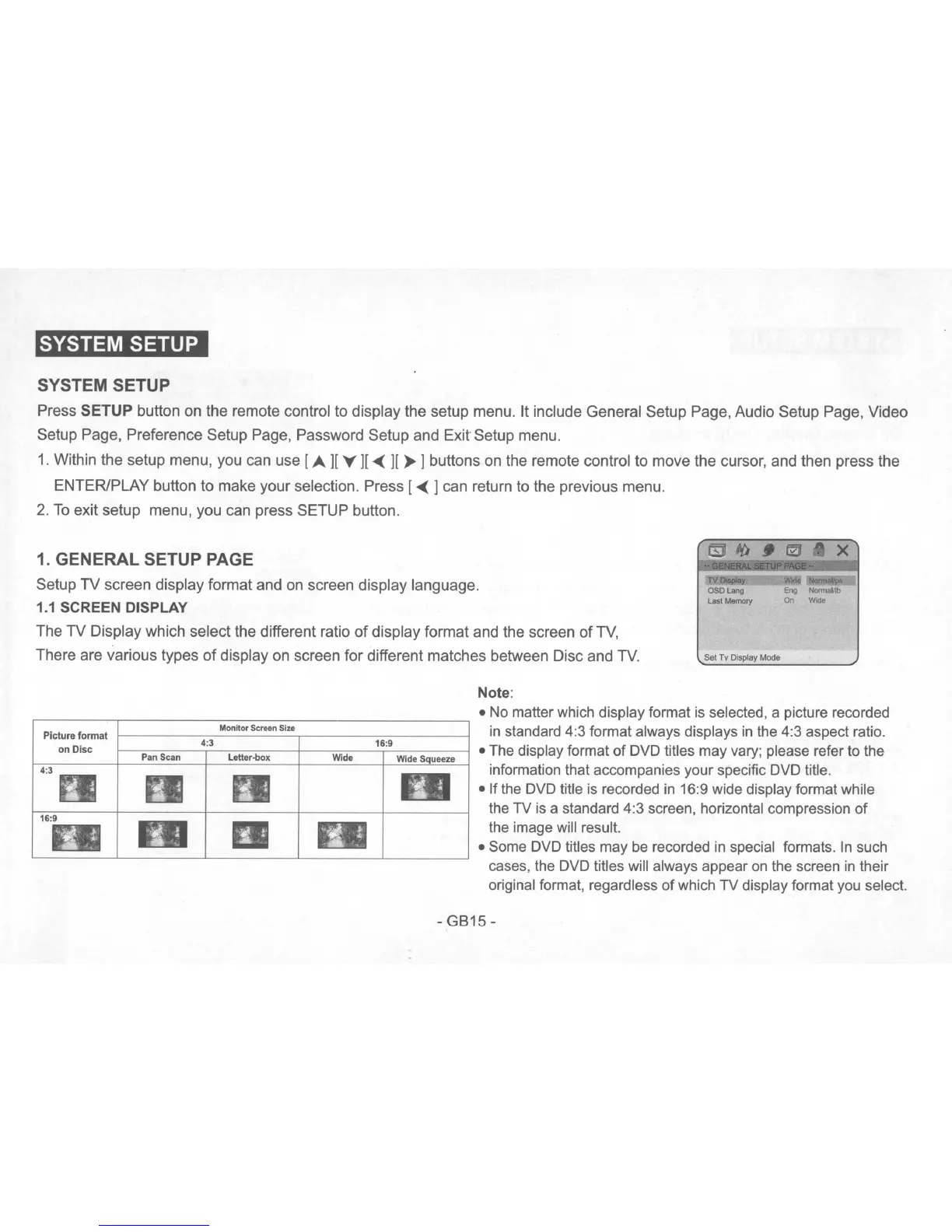
The
TV
Display which select the different ratio
of
display format and the screen
of
TV,
There are various types
of
display on screen for different matches between Disc and
TV.
TV
!>spla~
OSO
lang
last
Memory
Set
Tv
Display
Mode
w"
""'""""'"
Eng
Normal/lb
On
Wide
Monitor Screen Size
Pan Scan
Letter~ox
Note:
•
No
matter which display format
is
selected, a picture recorded
in
standard 4:3 format always displays
in
the 4:3 aspect ratio.
• The display format
of
DVD titles may vary; please refer to the
information that accompanies your specific DVD title.
• If the DVD title is recorded
in
16:9 wide display format while
the TV
is
a standard 4:3 screen, horizontal compression of
the image will result.
• Some DVD titles may
be
recorded
in
special formats.
In
such
cases, the DVD titles will always appear
on
the screen
in
their
original format, regardless
of
which TV display format
you
select.
-
GB15-


 To Next Page
 Loading...