Dual Pricing VL100 Pro|R1.08282024 | valorpaytech.com
Transactions
Favorites Menu
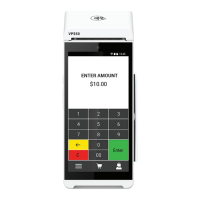
1. Enter Transaction Amount and press OK.
2. Swipe/Insert/Tap card on Present Card screen or start
typing card number for Manual Entry.
3. Sign and Tip if prompted.
4. Select receipt delivery method.
1. Tap the Menu icon ( )
2. Tap Option 1 (Payment), tap Card then tap Void.
3. Select Tran Number or Card Number. If Tran Number,
enter transaction number. If Card Number, enter last
4 digits of card.
4. Transaction will appear on screen. Press OK
to void transaction.
5. Select receipt delivery method.
1. Tap the Menu icon ( )
2. Tap Option 1 (Payment).
3. Tap either EBT Food or EBT Cash.
4. Tap Sale.
5. Enter Transaction Amount and press OK.
6. Swipe/Insert/Tap card on Present Card screen or start
typing card number for Manual Entry.
7. Select receipt delivery method.
CARD SALE AND CASH SALE
CREDIT VOID
EBT FOOD/CASH SALE
1. Tap the Menu icon ( )
2. Tap Option 1 (Payment), tap Card then tap Refund.
3. Enter Refund Amount and press OK.
4. Swipe/Insert/Tap card on Present Card screen or start
typing card number for Manual Entry.
5. Select receipt delivery method.
CREDIT REFUND
TIP ADJUST | Adjust tip amount for transactions in
open batch.
Print receipt for last transaction.
REPRINT RECEIPT |
Option to settle the current batch.SETTLEMENT |


 To Next Page
 Loading...