EasyManua.ls Logo

Valore AC132 - User Manual

Valore AC132
5 pages
Print Icon
To Next Page IconTo Next Page
Loading...
Valore 2-Way Connectivity Wireless
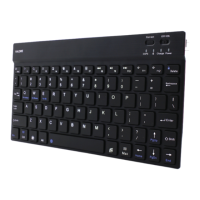
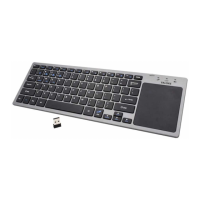
Keyboard with Touchpad (AC132)
Thank you for purchasing the Valore 2-Way Connectivity Wireless Keyboard with Touchpad
(AC132).
Freely roam around with wireless connectivity of up to 10m
Compact, space-saving design with an integrated touchpad
Built-in multimedia hotkeys
Important: Please read the user manual thoroughly before using your Wireless Keyboard.
Specifications: Package Contents:
• Transmission: Up to 10m
• Connectivity: 2.4GHz wireless & Bluetooth
• Battery type: AAA x 2 (not included)
• Key force: 62 ± 8gm
• Key lifespan: 5 million
• System supports:
^Windows XP and above
• Android
• Mac OS X 10 and above
Material: ABS
Dimensions (L x W x D): 367 x 121 x 19mm
Weight: 332g
^Touchpad is only available for Win XP and above
UNDERSTANDING THE PRODUCT
• 2-way connectivity wireless
keyboard with touchpad
• Wireless receiver
Question and Answer IconNeed help?

Do you have a question about the Valore AC132 and is the answer not in the manual?

Summary

Start Using Wireless Keyboard

How to Connect

Instructions for connecting the keyboard via 2.4GHz wireless or Bluetooth.

2.4 G and Bluetooth Mode Conversion

Guide to switching between 2.4G and Bluetooth connectivity modes.

Indicators

Explanation of LED indicators for low power and sleep mode.

Keyboard Functionality

Multimedia Keys

Details FN+ key combinations for multimedia playback and functions.

Touch 5.0 Gesture Function

Description of touch gestures for mouse control and system functions.

Technical Support & Warranty

Cautions

Important warnings and safety precautions for product usage and care.

Disclaimer & Trademarks

Information on copyright, trademarks, and ownership of materials.
Valore AC132 Specifications

General IconGeneral
BrandValore
ModelAC132
CategoryKeyboard
LanguageEnglish

Related product manuals