EasyManua.ls Logo

Valore AC196 - User Manual

Default Icon
8 pages
Print Icon
To Next Page IconTo Next Page
Loading...
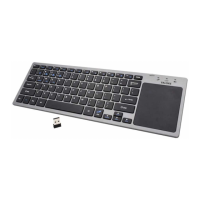
Thank you for purchasing the Valore Foldable Wireless Keyboard with Touchpad (AC196 ).
Important: Please read the user manual thoroughly before using the product.
Features:
• Ingeniously designed portable keyboard with ultra-thin profile
• Effortless navigation with a spacious touchpad
• Wireless operation, no messy cables
• Rechargeable battery with auto sleep power-saving feature
Specifications: Package Contents:
Valore
Foldable Wireless Keyboard with Touchpad
SPECIFICATIONS & FUNCTIONS
• Input: 5V/1A
• Battery capacity: 140mAh
• System support: Windows /Android/iOS
• Transmission distance: Up to 10m
• Working time: Up to 20 hours
• Material: ABS
• Touchpad size: 54.8 x 44.8mm
• Dimensions (L × W × H):
304.5 x 97.95 x 8mm(unfolded)
153 x 98.5 x 16.5mm(folded)
• Weight: 197.3g
• Foldable Wireless Keyboard x1
• USB-Micro Charging Cable x1
Front
Multi-Function Keys
Question and Answer IconNeed help?

Do you have a question about the Valore AC196 and is the answer not in the manual?

Summary

Specifications and Functions

Multi-Function Keys

Details on special key combinations for enhanced functionality.

BT Pairing Connection

Pairing Steps and Remarks

Step-by-step guide for Bluetooth pairing and important notes.

Product Features

Function Key Combinations

Explains Fn+ key combinations for different operating systems.

Keyboard Maintenance

Frequently Asked Questions (FAQ)

Addresses common user questions and provides quick solutions.

Multi-Channel Connection

Guide to connecting and switching between multiple devices.

Troubleshooting

Safety and Warranty Information

Covers safety instructions, copyright, and warranty details.

System Switching and Status LED

Details language switching and LED status indicators.

Touchpad Functions

Touchpad Gestures

Explains various gestures for mouse control and shortcuts.

Technical Support and Warranty

Cautions and Disclaimer

Lists product cautions, disclaimers, and trademarks.

Overview

The Valore Foldable Wireless Keyboard with Touchpad (AC196) is a portable and versatile input device designed for seamless wireless operation across various operating systems.

Function Description

This ingeniously designed keyboard offers an ultra-thin profile and features a spacious touchpad for effortless navigation. It operates wirelessly, eliminating the need for messy cables, and includes a rechargeable battery with an auto-sleep power-saving feature to extend usage time. The keyboard supports multi-channel connection, allowing users to pair and switch between up to three devices (BT1, BT2, BT3) using the Fn key in combination with the corresponding BT key.

The keyboard incorporates multi-function keys that provide different functionalities depending on the operating system. For iOS/Android, Fn+ keys offer actions like returning to desk, search, select, copy, paste, cut, pre-track, play/pause, next, mute, volume down, volume up, and lock. For Windows, Fn+Shift+ keys provide similar functions, with "Return to Desk" becoming "Home."

The integrated touchpad supports various gestures for enhanced control:

  • One finger click: Left mouse click
  • Two finger click: Right mouse click
  • Two finger slide: Mouse wheel scroll
  • Two finger stretch: Zoom
  • Three finger click: Win+S combination key (opens Cortana)
  • Three finger slide (left/right): Active window switch
  • Three finger slide (up): Win+Tab combination key (opens browser window)
  • Three finger slide (down): Win+D combination key (returns to Windows start menu)
  • Note: Touchpad functions are not available for devices running the iOS system.

Important Technical Specifications

  • Input: 5V/1A
  • Battery capacity: 140mAh
  • System support: Windows, Android, iOS
  • Transmission distance: Up to 10m
  • Working time: Up to 20 hours
  • Material: ABS
  • Touchpad size: 54.8 x 44.8mm
  • Dimensions (L × W × H):
    • Unfolded: 304.5 x 97.95 x 8mm
    • Folded: 153 x 98.5 x 16.5mm
  • Weight: 197.3g

Usage Features

BT Pairing Connection:

  1. Turn on the power switch; a blue light will illuminate. Select the channel (BT1, BT2, or BT3) and press Fn+C to initiate connection. The blue light will twinkle.
  2. On your tablet PC, open Bluetooth settings to enter searching and pairing status.
  3. Locate "BT 3.0 Keyboard" in the device list and click to proceed.
  4. Input the correct password displayed on your tablet PC and click "Enter."
  5. A confirmation message will appear upon successful connection, indicating the keyboard is ready for use. Once successfully connected for the first time, subsequent connections only require turning on the keyboard's power switch and enabling Bluetooth on the tablet PC; the keyboard will automatically search and connect.

Multi-Channel Connection:

  • Connecting the first device: Press Fn+BT1, then Fn+C.
  • Connecting the second device: Press Fn+BT2, then Fn+C.
  • Connecting the third device: Press Fn+BT3, then Fn+C.
  • Switching between connected devices: Press Fn+BT1, Fn+BT2, or Fn+BT3.

Status Display LED:

  • Connect: Blue light twinkles when the power switch is on and the connect button is pressed.
  • Charging: Red indicator light is on during charging and turns off when fully charged.
  • Low Voltage Indication: Blue light twinkles when the voltage is below 3.3V.

Three System Switching Languages:

  • iOS: Control+Space key
  • Windows: Alt+Shift
  • Android: Shift+Space key

Maintenance Features

Keyboard Maintenance:

  • Keep the keyboard away from liquids, humid environments (saunas, swimming pools, steam rooms), and rain.
  • Avoid exposing the keyboard to extreme temperatures (both high and low) and direct sunlight for extended periods.
  • Keep the keyboard away from flames (cooking stoves, candles, fireplaces).
  • Avoid sharp objects that could scratch the keyboard.
  • Ensure timely recharging to maintain normal usage.

Troubleshooting (FAQ):

  • Tablet PC can't connect to BT keyboard: Ensure the keyboard is in matching code state, search in tablet PC's BT settings, and check battery level. Charge if low.
  • Keyboard indication light always flashes: Indicates low battery; charge immediately.
  • Tablet PC displays BT keyboard disconnected: The keyboard enters sleep mode to save power. Press any key to wake it up, and the BT connection will automatically restore.

Safety Instructions:

  • Do not attempt to open or repair the device yourself; repairs should be performed by qualified professionals.
  • Avoid using the device in a damp environment.
  • Clean the device with a dry cloth; do not use liquid cleaners or submerge in water.

Warranty: The Wireless keyboard comes with a three-year limited hardware warranty covering defects or malfunctions from the date of purchase. Contact the seller or manufacturer for assistance with warranty issues.

Valore AC196 Specifications

General IconGeneral
BrandValore
ModelAC196
CategoryKeyboard
LanguageEnglish

Related product manuals