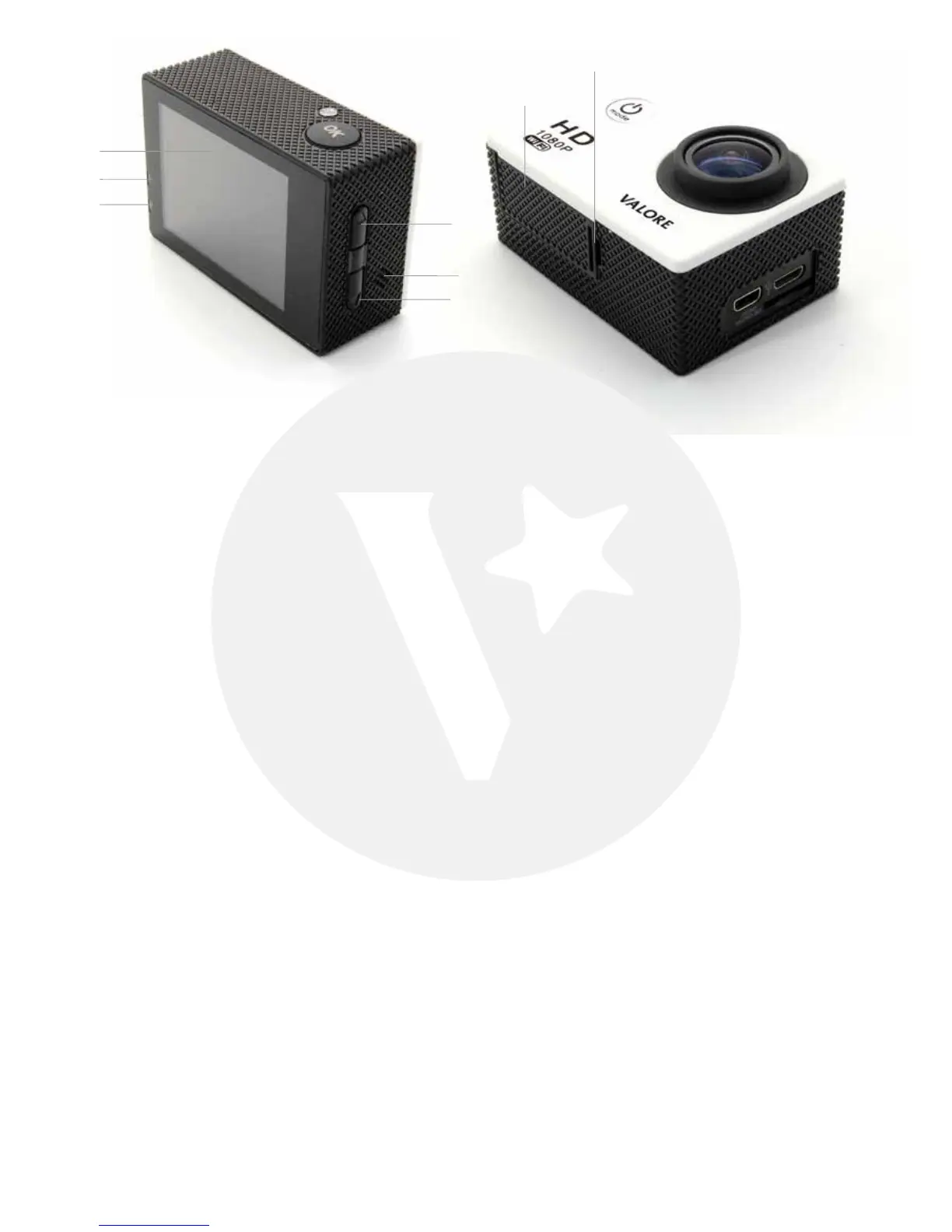
① LED Screen ⑤ Speaker
② Operation indicator ⑥ Down button
③ Charging indicator ⑦ Battery cover
④ Up button ⑧ Battery cover lock
GETTING STARTED
To power ON:
Press and hold the Power Button.
To power OFF:
Press and hold the Power Button.
OVERVIEW
Mode Selection
Turn camera ON and repeatedly press the Power/Mode Button to cycle through camera
modes. The modes will appear in Video mode/Photo mode/Play back mode:
• Video mode - Record Video
• Photo mode - Capture photo
• Play back mode - Event/Video/Jpg
②
⑦
⑧
③
①
④
⑥
⑤



 To Next Page