Camera settings
12.3.17 Recording (Local Recording)
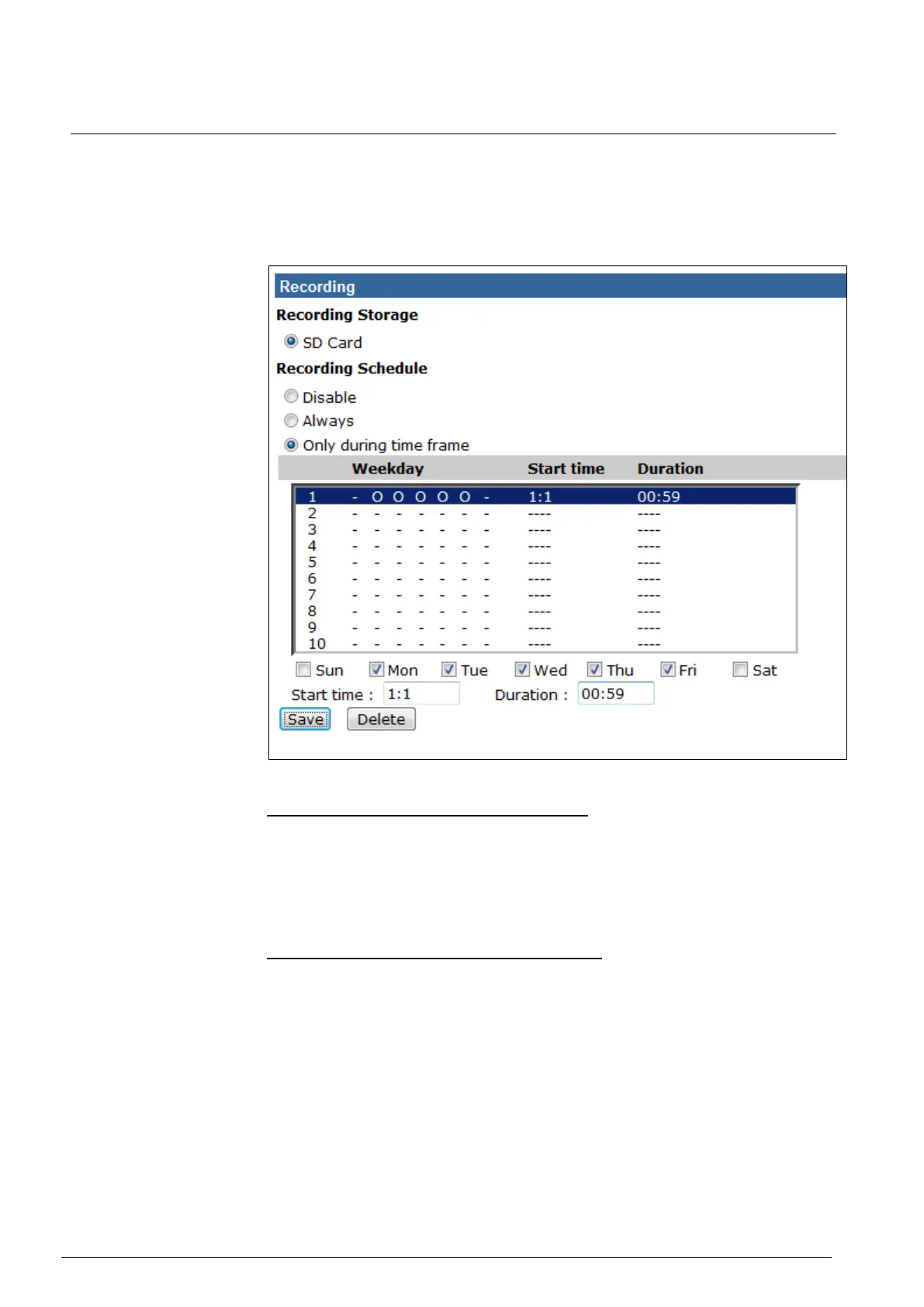
The Recording setting can be found under this path: System> Recording.
In the Recording setting page, the microSD card recording schedule supports up
to ten sets of time frames. User can specify the recording schedule to fit the pre-
sent surveillance requirement.
Activating microSD / SDHC Card Recording
Two types of schedule mode are offered: <Always> and <Only during time frame>.
Users can select <Always> to activate microSD / SDHC card recording all the time.
Or select a set of schedule from the time frame blank, check specific weekdays
and setup the start time (hour:minute) and time period (hour:minute) to activate
microSD / SDHC card recording at certain time frames. The setting range for time
period hour is from 0 to 168. Please click on <Save> to save the setup.
Terminating microSD / SDHC Card Recording
Select <Disable> to terminate the recording function.


 To Next Page
 Loading...