Vandlion digital voice recorder
8
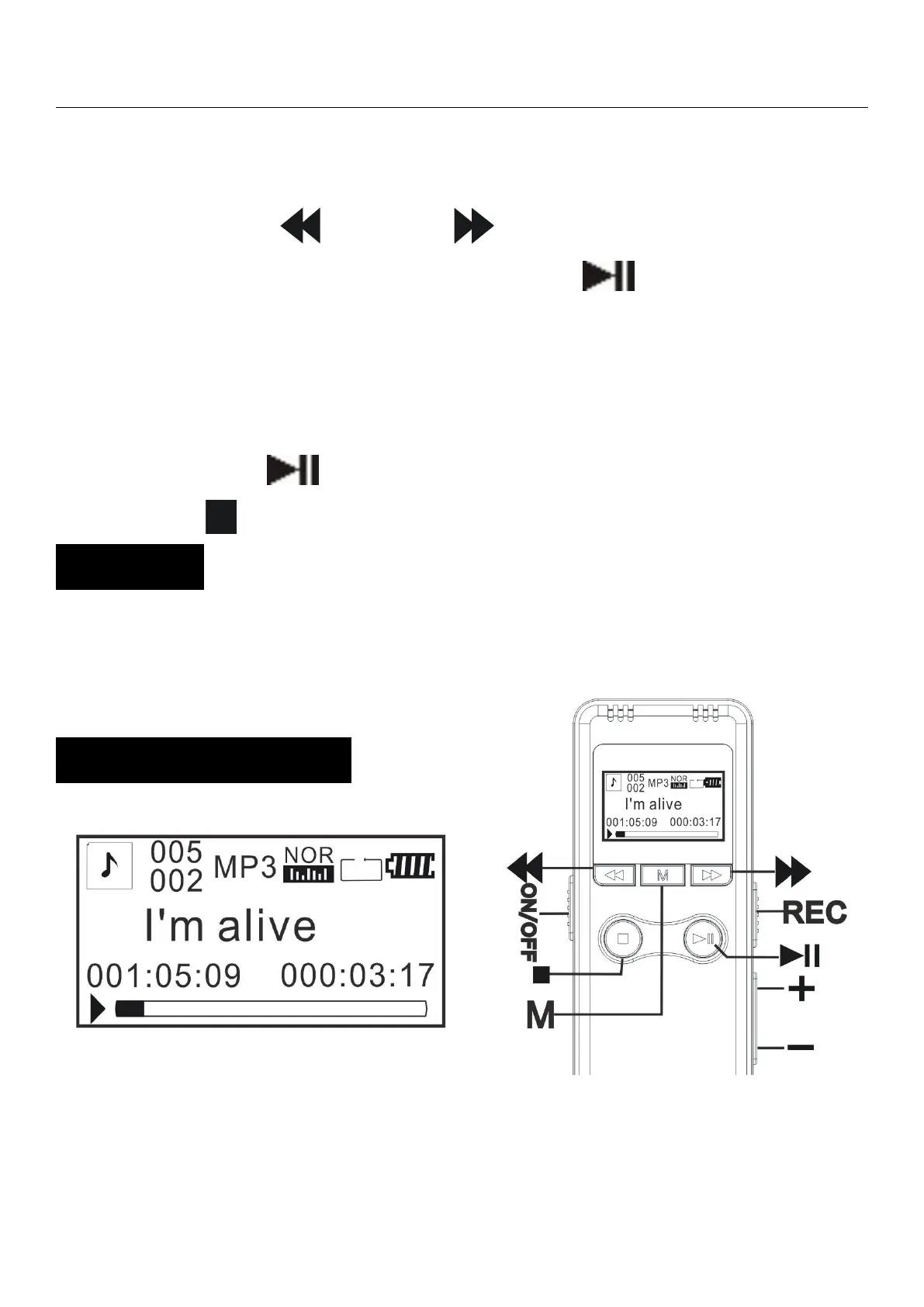
In standby mode, select the file you want to
delete,Long press stop key to enter.
Press “ ”or“
”
button to select
“No”/“Yes”/“Delete all”, Press “ ” confirmation.
“Yes”:Delete single file.
“Delete all”:Delete all files in folder.
Press the “ ” button to confirm.
Press “ ”to return standby mode.
Once a file has been erased, you cannot retrieve
it.
Download music to the root directory of the
machine through USB.


 To Next Page