Installation
7
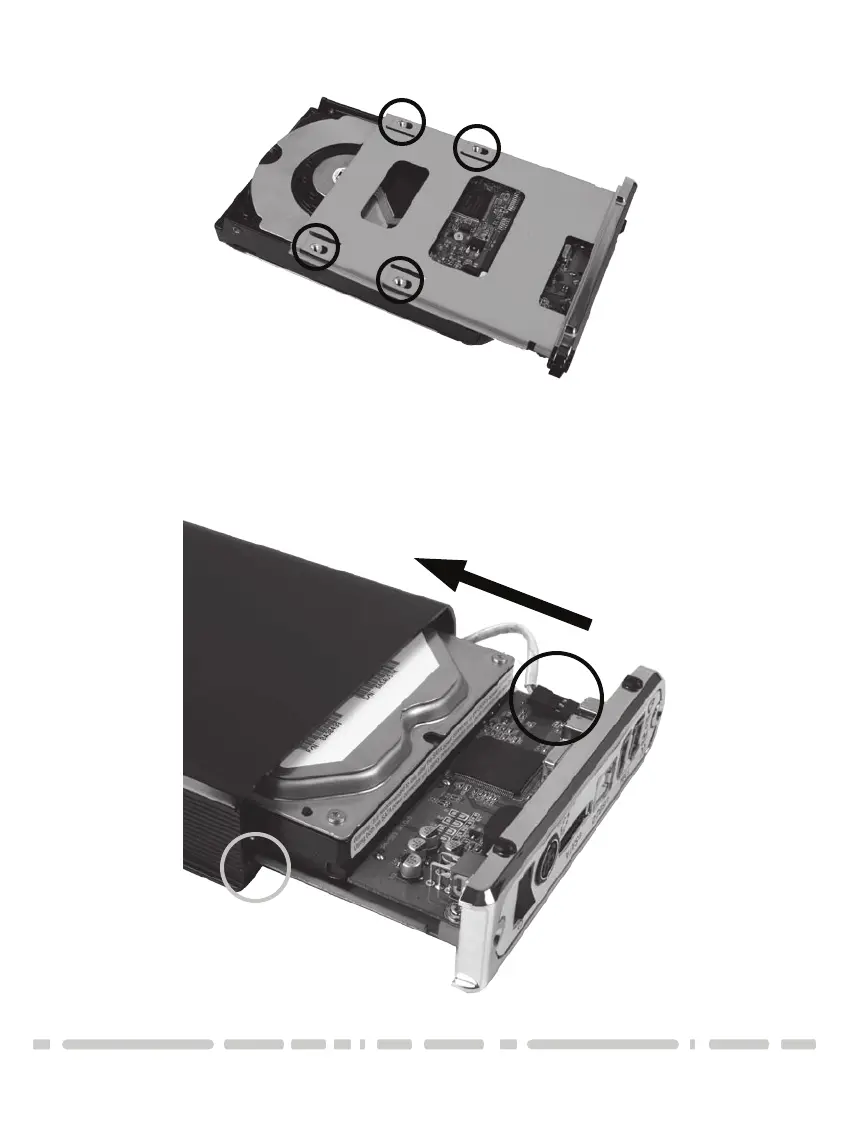
2) Align the hard drive mounting holes with the holes on the back of the drive
caddy. See picture below.
3) Secure the hard drive onto the drive caddy with the screws provided.
4) Insert the drive caddy back into the aluminum housing. Be sure to
reconnect the LED cable before closing the unit. When reinserting the caddy,
also be sure to align the top of the caddy with the guides on the housing.







 To Next Page