5. Installation:
Installation
6
3.5” SATA to USB 3.0 & FireWire 800 External Hard Drive Enclosure w/ Fan
5.1. Hardware Installation:
Installing the hard drive:
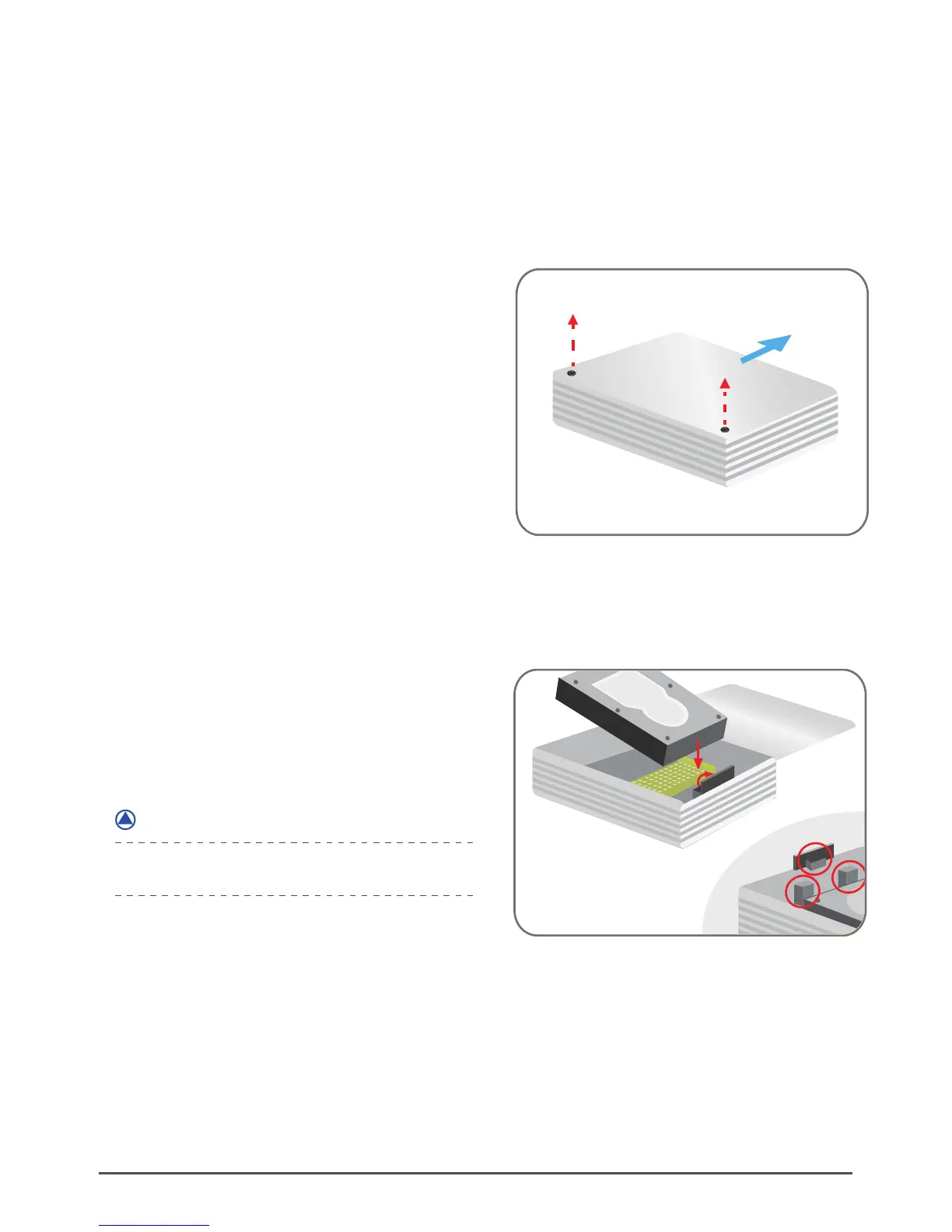
( figure 5.1-A )
( figure 5.1-B )
(1)
Carefully unscrew the two screws and
slide the aluminum cover outward to open
(figure 5.1-A)
(2)
Flip the protection cover upward and
carefully install the 3.5” SATA hard drive
into the enclosure.
(figure 5.1-B)
*Optional Foam Spacer
If your hard drive model is loose with the protection
cover, please use the foam spacers provided.
NOTE :



 To Next Page