EasyManua.ls Logo

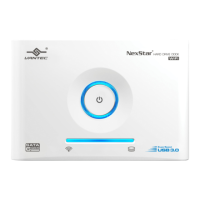
Vantec NST-D100SU - Introduction to NexStar Hard Drive Dock; Product Overview; System Requirements; Hardware and Software Compatibility

Vantec NST-D100SU
12 pages
Print Icon
To Next Page IconTo Next Page
To Previous Page IconTo Previous Page
Loading...
2
1.Introduction
The
Vantec
NexStar
Hard
Drive
Dock
is
a
complete
and
easy
way
to
add
or
swap
hard
drives
to
your
computer.
It
gives
you
the
flexibility
of
connecting
any
SATA
I/II
hard
drive to
your
computer
via
USB
2.0
or
eSATA
connection
without
opening
up
your
computer case
or
installing
into
an
enclosure.
Simply
just
insert
any
2.5”
or
3.5”
SATA
I/II
hard
drive into
the
NexStar
Hard
Drive
Dock
and
you
are
ready
to
transfer,
copy,
or
backup
files. Quick
and
easy,
the
Vantec
NexStar
Hard
Drive
Dock
is
the
perfect
solution
to
access
your hard
drive
in
seconds.
2.System Requlrements
Intel
Pentium
II
350
MHz-compatible
or
Mac
G3
processor
&
greater.
Microsoft
Windows
98SE/ME/2000/XP/VISTA
or
MAC
OS
8.6
&
greater
or
Linux
Kernel
2.4.18
above.
USB
or
SATA-equipped
system.
For
USB2.0
speeds,
the
system
must
support
USB
2.0
specifications.
CD
Rom
drive
(if
drivers
are
needed)
For eSATA speeds , the system must support eSATA specifications.

Other manuals for Vantec NST-D100SU

Related product manuals