15
Computer Instructions
PROGRAM DETAILS
PRESET
PROGRAM
(PROGRAM 1-7)
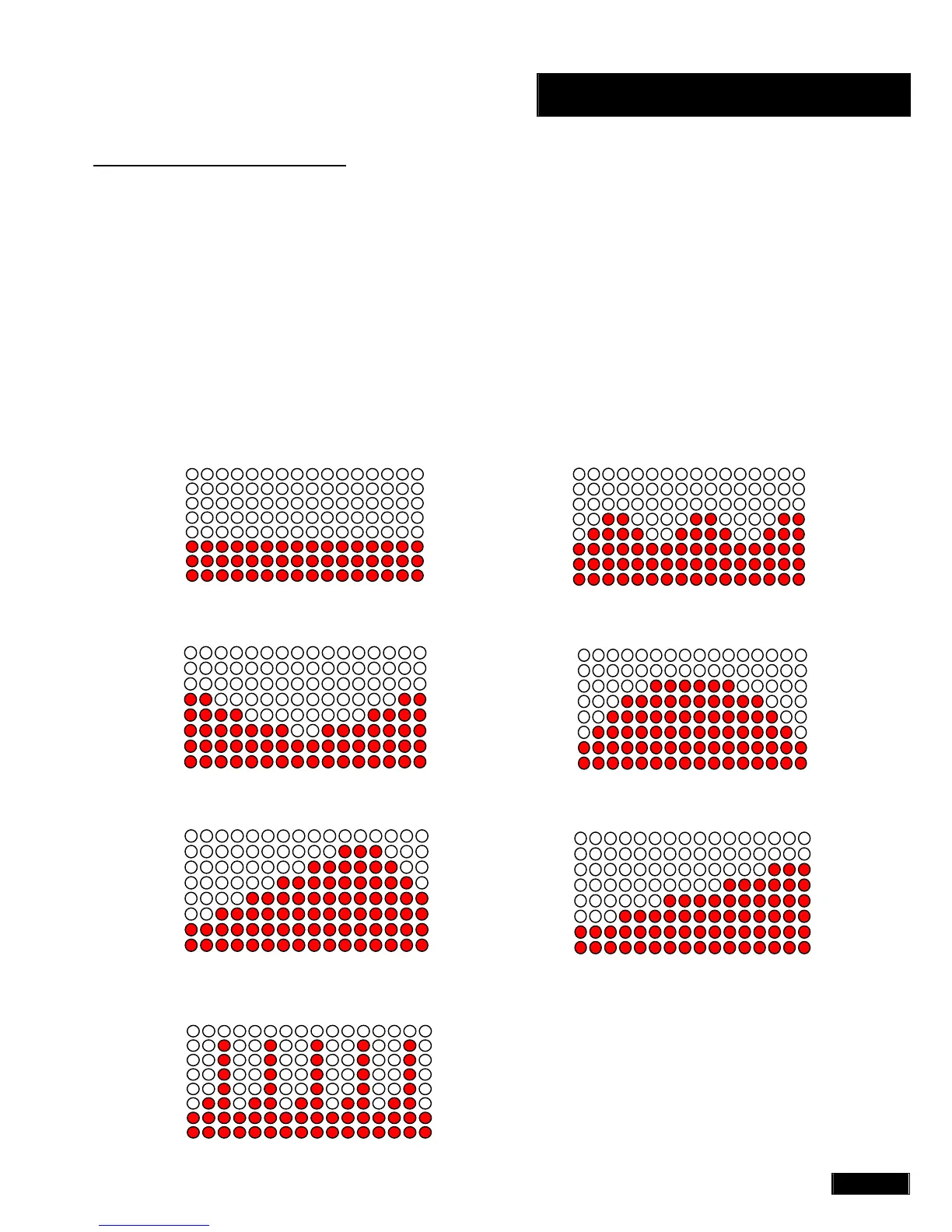
The PRESET PROGRAM includes seven profiles (P1 – P7).
Press the PROGRAM function to get to one of the seven
profiles. Press ENTER after choosing a preset program.
Press the UP or DOWN key to set the desired TIME,
DISTANCE, CALORIES AND LEVEL of a preset program
profile. After selection press ENTER to confirm. Press the
START/STOP key to begin the exercise.
PROGRAM PROFILES:
1. PROGRAM 1 (MANUAL):
2. PROGRAM 2 (ROLLING):
3. PROGRAM 3 (VALLEY):
4. PROGRAM 4 (FAT BURN):
5. PROGRAM 5 (RAMP):
6. PROGRAM 6 (MOUNTAIN):
7. PROGRAM 7 (INTERVALS):



 To Next Page