Need help?
Do you have a question about the VanTop Discovery H609 and is the answer not in the manual?
Lists all items included in the product package.
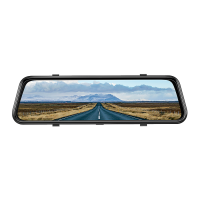
Details the main unit's components and views.
Describes the components of the rear camera accessory.
Instructions on how to turn the device on and off.
How to manage the display screen by turning it on or off.
Overview of the device's main interface and basic functions.
Access and view recorded videos and photos from the device.
View photos captured by the front and rear cameras.
Access and review locked video files recorded by the cameras.
Learn how to delete multiple or single video and photo files.
Methods for transferring files from the dash camera to a computer.
Swipe touchscreen to adjust the camera's field of view.
Swipe touchscreen to adjust the display brightness.
Configure the duration of video recordings in a loop.
Set the frame rate for time-lapse video creation.
Adjusts the amount of light captured for image brightness.
Automatically records video when movement is detected.
Configures collision detection sensitivity for video locking.
Sets collision detection sensitivity for parking mode recording.
Option to display the vehicle license plate on the screen.
Sets the screen timeout duration due to inactivity.
Configures the time duration before the dash camera powers off automatically.
Selects the electrical frequency based on geographical region.
Enables or disables sound feedback for touch screen interactions.
Sets the display language for the device interface.
Sets the date and time displayed on the screen.
Adjusts the clock for daylight saving time (ON/OFF).
Selects which camera view (front/rear) is shown on the display when powered on.
Formats the inserted memory card, deleting all files.
Resets the dash camera to its factory default settings.
Displays the dash camera's software version for technical support.
Solutions for when the dash camera stops recording unexpectedly.
Troubleshoots issues with the memory card not being read or showing errors.
Addresses issues causing the dash camera to restart unexpectedly.
Troubleshoots blurry video or video with strips.
Important safety warnings regarding battery and disposal.
 General
| Field of View / Viewing Angle | 170° front, 160° rear |
|---|---|
| Storage | Supports up to 256GB microSD card |
| Loop Recording | Supported |
| G-Sensor | Supported |
| Parking Mode | Yes |
| Night Vision | Yes |
| Wi-Fi | Yes |
| Display | 3 inch IPS LCD screen |
| Battery | Built-in 320mAh |


 To Next Page