
 Need help?
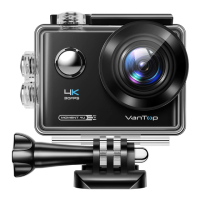
Do you have a question about the VanTop Moment 4U and is the answer not in the manual?
Instructions for enabling remote control via short press on the camera.
Instructions for enabling remote control via menu navigation.
Steps to turn on the camera's Wi-Fi using a short press.
 General
| Photo Resolution | 20MP |
|---|---|
| Lens | 170° Wide-Angle Lens |
| Image Format | JPEG |
| Video Resolution | 4K@30fps, 1080P@60fps |
| Waterproof | Up to 100ft (30m) with included waterproof case |
| Screen | 2-inch LCD |
| Connectivity | Wi-Fi, HDMI |
| Storage | MicroSD up to 64GB |
| Battery | 1050mAh |
| Video Format | MP4 |
| Weight | 58g |

 To Next Page