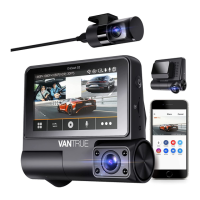
- 3 -
Buttons
Button Instruction
1.
1
2 4
5
3
In menu settings and le browsing, sho press to display the
previous option, long press to scroll up to display options; In
playback mode, sho press to fast forward;
2. During video recording, sho press to sta/stop recording;
In menu settings, sho press to conrm the action; In
playback mode, sho press to play/pause the le;
3.
During video recording, long press to turn on/o WiFi, and
sho press to turn on/o the microphone; In menu settings and
le browsing, sho press to display the next option, and long
press to scroll down to display options; In playback mode, sho
press to pop up the delete le menu;
In the recording mode, long press to turn on/of parking mode;
In menu settings and le browsing, sho press to return to the
previous inteace;
4.
5.
No.
Instruction
In power-on status, long press to turn o the dash cam; In
power-of status, sho press to turn on the dash cam;
During video recording, sho press to capture a picture; In
playback mode, sho press to pop up the delete Menu.
EN
EN
EN
EN



 To Next Page