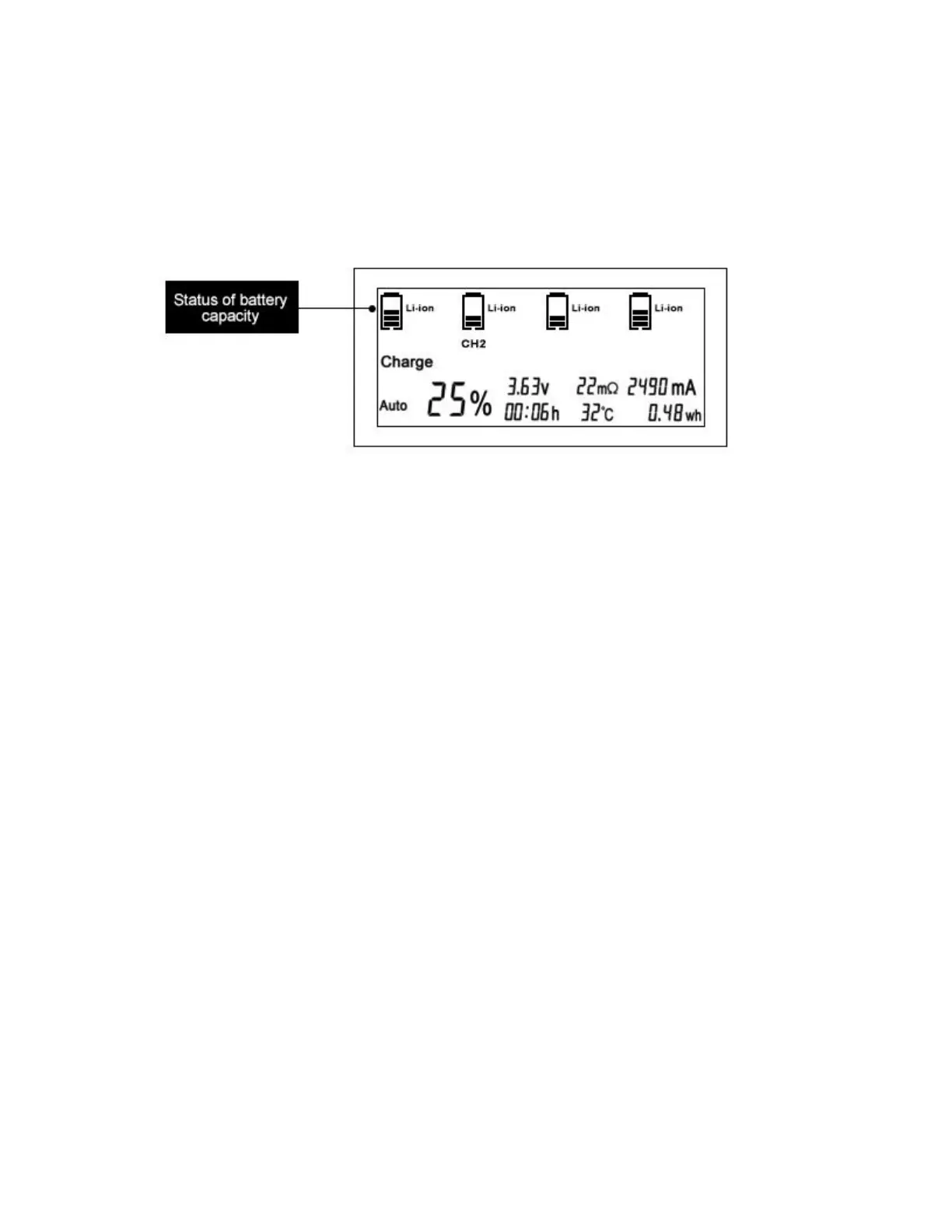
again, reciprocating. This display indicates that the battery is charging. At this time, the
display screen will display all the data of the second slot.voltage(V) ,capacity(mAh,Wh),
temperature(
℃
), internal resistance
(
mΩ
)
, time
(
00:00
)
,current(mA) and percentage
of capacity clearly
(
%
)
.If the battery is discharging, the cylindrical grid will flicker and
decrease.
2.7 If multiple batteries are placed in the charger at the same time, we press the DISPALY
button several times to display the battery data of each slot in turn.each slot is
independent of each other, there are slots to charge, there are slots to discharge, there are
slots to repair the process, without interference with each other. . If CH1 is displayed, it
will be the data of the first slot battery.
2.8 When charging and other procedures are completed, there will be a bell reminder
The small cylindrical lattices of the display screen will no longer jump, and other
parameters are recorded and maintained.And the display screen will turn off after five
minutes.
If you do not want a ringtone reminder, long press and hold the DISPLAY button to turn
off the display screen during operation and there will be no ringtone reminder after the
program is completed.
3. Technical points
In order to use this charger well, please read the following technical knowledge
3.1 Measure the internal resistance of batteries
The Auto mode of the charger distributes the appropriate current by measuring the
internal resistance(DC IR).so it is necessary to measure more precise values.Please keep
the positive and negative connectors of the charger clean and free of grease stain, and the
positive and negative electrodes of the battery clean.And check the spring of each slot to
ensure that the battery and charger are in good contact.


 To Next Page
 Loading...