4 5English English
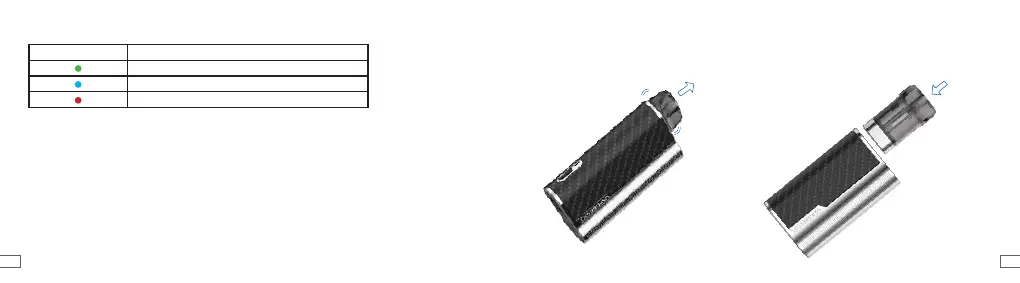
3. Baery Level
LED Color Baery Status
High(71%-100%)
Medium(31%-70%)
Low(0-30%)
4. Baery Recharging
- When connecting the USB cable to the battery, the red LED light will ash 3 times.
- During the battery charging, the breathing red LED light will ash.
- After the battery is fully charged, the green LED light will be on constantly.
- When removing the USB cable from the battery, the green LED light will ash 3 times.
5. POD Replacement
2) Insert a new POD back into the battery, and
turn on the power to nish the POD replacement.
1) Turn off the power and pull the used
POD out by holding the drip tip.



 To Next Page