
 Need help?
Do you have a question about the Vaporfi V-GRIP 220 and is the answer not in the manual?
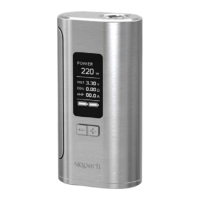
The VaporFi V-GRIP 220 TC MOD is a versatile vaping device designed for both variable wattage and temperature control vaping. This quick start guide provides essential information for its operation, including setup, mode adjustments, and various features.
The V-GRIP 220 TC MOD is primarily a vaping device that allows users to vaporize e-liquids using an attached atomizer. It supports both variable wattage and temperature control modes, offering flexibility to suit different vaping styles and atomizer types. The device is powered by two 18650 batteries (not included) and can be charged via a USB charger.
To turn the device on or off, click the fire bar five times.
When inserting 18650 batteries, ensure they are facing the correct directions as indicated on the battery door. Battery 1 requires the positive terminal facing upwards, and Battery 2 requires the negative terminal facing upwards.
To adjust modes, press the fire bar three times to enter the designated menu. Use the "-" button to navigate the menu and the "+" button to make necessary changes.
Once settings are checked, hold the fire bar while inhaling from the drip tip. Release the fire bar once the desired vapor production is achieved. Use the "+" and "-" buttons to determine the best wattage or temperature for your atomizer and vaping style.
If the fire bar is held for longer than 10 seconds, the device will stop firing, and the screen will display "Over 10s Protection."
If using a temperature control atomizer, press the fire bar three times to enter the menu. Press the "-" button until the modes begin to flash. Then, press the "+" button to scroll through and select the desired temperature mode (Temp NI, Temp TI, Temp SS316, M1, M2, M3). Use the "+" and "-" buttons to adjust the temperature.
When using temperature control atomizers, it is crucial to lock the resistance. Press the fire bar three times, then press the "-" button until the OHMs begin to blink. Press the "+" button to lock the resistance. To unlock, follow the same steps. It is important to unlock resistance before replacing an atomizer to ensure the new atomizer is read at room temperature.
To switch between Celsius and Fahrenheit, hold the "+" button to increase the temperature until the maximum temperature (315°C or 600°F) is reached. Press the "+" button once more to complete the switch.
To adjust wattage in TC mode, press the fire bar three times to enter the menu. Press the "-" button until the wattage begins to blink. Then, press the "+" button to increase the wattage to the desired power.
The V-GRIP 220 TC MOD includes a TCR mode for enhanced temperature control. To set TCR mode, turn off the mod by clicking the fire bar five times. Then, simultaneously press the fire bar and "+" button to enter the TCR setting mode. Use the "+" or "-" button to select M1, M2, or M3, and press the fire bar to confirm. Adjust the setting using the "+" or "-" button based on your coil type (Nickel (Ni200) 600-700, Titanium (TI) 300-400, SS316 & 316L (Stainless Steel) 80-200). Once TCR settings are dialed in, turn on the MOD, click the fire bar three times to enter the navigation menu, select TCR setting, and choose your M1, M2, or M3 setting.
When replacing an atomizer, especially with a different material (Ni, Ti, or SS 316/L), the device will prompt you to reset the resistance. Press the "+" button for a new atomizer to ensure it is read at room temperature and prevent a burned hit. Press the "-" button if it's the same or an already-in-use atomizer.
While the device is on, hold the "+" and "-" buttons simultaneously to enter key lock mode. In this mode, wattage/temperature adjustments are disabled, but the device can still fire.
While the device is on, hold the power and "-" buttons simultaneously to enter stealth mode. This allows firing the device without the screen lighting up, saving battery life. The screen can still be seen when changing wattage/temperature.
The device features a real-time clock. To set it, press the fire bar three times, then press the "+" button. To adjust the time, press the fire bar, then the "-" button until the clock hands or numerical values flash. Press the "+" button to reach the desired time or date.
To switch between analog and digital clocks, click the fire bar three times and wait for the display to flash. Once flashing, press the "+" button to shift between clock types.
A battery meter at the bottom of the screen displays current battery strength. When the "Weak Battery" message appears, it's time to replace the drained 18650 batteries. The included USB cord can be used to charge batteries if a fully charged set is not available.
 General
| Brand | Vaporfi |
|---|---|
| Model | V-GRIP 220 |
| Category | Vaporizers |
| Language | English |

 To Next Page