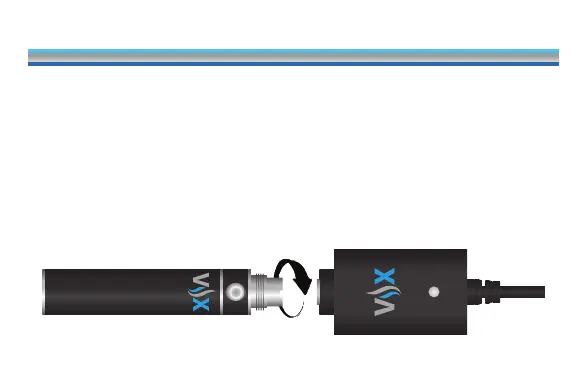
charging the battery
HOW TO CHARGE YOUR VAPORX® BATTERY
To charge your VaporX’s® battery, screw the battery component
into the USB charger, included in your XPS Starter Kit, until snugly
tightened. Plug the USB charger into any live USB port found on
a computer or other supporting device. The battery’s LED light
will ash ve (5) times to indicate that charging has begun. The
indicator light on the USB charger will illuminate green once the
battery is fully charged.
7



 To Next Page