EasyManua.ls Logo

Variscite DART-MX8M-PLUS - User Manual

Variscite DART-MX8M-PLUS
2 pages
Print Icon
To Next Page IconTo Next Page
Loading...
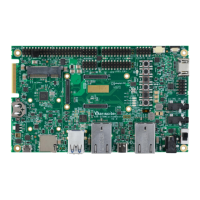
DART-MX8M-PLUS based on NXP i.MX 8M Plus
Evaluation Kit Quick Start Guide
Features
1. 5V PWR IN (J4)
2. Gigabit Ethernet (J5)
3. USB 3.0 OTG (J6)
4. USB 3.0 Host P2(J7)
5. USB 3.0 Host P1(J8)
6. SD-MMC (J9)
7. USB Debug (J10)
8. RTC BAT. Slot (JBT1)
9. Single MIPI-CSI (J11)
10. Mini PCIe #1 (J23)
11. UART, I2C (J12)
12. SAI2, SAI5, PDM, CAN (J13)
13. FAN 5V (J24)
14. GPIO, SPDIF (J14)
15. SAI1 (J25)
16. LVDS CH0 (J15)
17. LVDS CH1 (J26)
18. ECSPI, Host wake (J16)
19. Resistive Touch (J17)
20. Capacitive Touch (J18)
21. HDMI(J19)
22. User Buttons (SW1-TOP:
SW4-BOT)
23. Reset Button (SW5)
24. ON/OFF Button (SW6)
25. Line In (J21)
26. Boot Select Switch (SW7)
27. Headphones (J22)
28. Power ON (SW8)
Evaluation kit initial Setup
1. Carefully remove the 7 LCD and
VAR-DT8MCustomBoard from the package.
2. Connect the 7LCD Display and Touch cables to the
Evaluation Kit connectors J15, J18 respectively.
Note:connect the display cable with the red wire on pin
1. Connect the touch cable with the metal contacts
facing down.
3. Plug the USB type A to micro B cable between the USB
debug connector (J10) and a PC USB port.
4. Peel off the plastic layer on the bottom of the heat sink
and place the exposed sticky surface on top of the
SOC.
5. Connect the supplied antenna to the antenna U.FL
connector on the SOM for Wi-Fi and Bluetooth radio.
6. Set Power ON switch (SW7) to ON state.
7. Boot messages are printed within PC’s terminal
window.
Question and Answer IconNeed help?

Do you have a question about the Variscite DART-MX8M-PLUS and is the answer not in the manual?

Summary

Product Features

Power and Connectivity Ports

Lists power input, Ethernet, USB ports (OTG, Host), SD-MMC, Debug, RTC, MIPI-CSI, PCIe, UART, I2C, SAI, PDM, CAN, FAN, GPIO, SPDIF, LVDS, ECSPI, and audio connectors.

User Interface and Controls

Details user buttons (SW1-TOP, SW4-BOT), Reset (SW5), ON/OFF (SW6), Power ON (SW8), and audio output (J22).

Input and Display Interfaces

Covers resistive touch (J17), capacitive touch (J18), HDMI (J19), and line-in audio (J21) interfaces.

Evaluation Kit Initial Setup

Hardware Connections

Connects LCD display, touch cables, USB debug cable, and antenna to the board.

Heat Sink and Power Configuration

Applies heat sink, sets power switch, and prepares for boot messages.

System Configuration and Booting

Host PC Setup for Debug

Guides on downloading terminal software and configuring its parameters for debugging.

Booting from eMMC

Instructions for setting the boot switch to eMMC and powering the device.

Booting from Micro SD Card

Steps to set the boot switch for SD card, insert the card, and power on.

Resources and Support

File System Installation

References the Variscite wiki for re-installing the file system on eMMC.

Useful Links

Provides links to wiki, evaluation kits, SOM, carrier board, and customer portal.

Variscite DART-MX8M-PLUS Specifications

General IconGeneral
BrandVariscite
ModelDART-MX8M-PLUS
CategoryMotherboard
LanguageEnglish