519
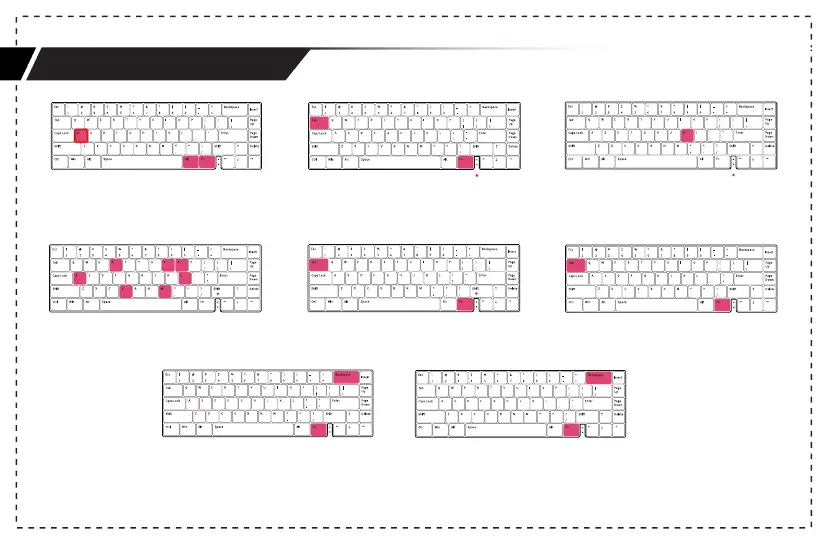
Key Macro switch example
1.Press Fn + the right Alt + A/S/D/F to enter set
1/2/3/4 key macro. The indicator of A/S/D/F
will blink;
2.Hold Fn + Tab for 3s to start recording. The
indicator of CapsLock will blink slowly;
3.Press the key you want to record, the key will
lights on and the indicator of CapsLock will blink
rapidly;
(Press the same key again to cancel the recording.)
4.Enter the key function you want to set;
5.Press Fn + Tab to finish the current key recording,
and continue to choose to record other keys in
the group;
6.Hold Fn + Tab for 3s to finish the recording.
·Press Fn + Backspace to turn on/off the
current key macro indicator lights(A/S/D/F)
·Hold Fn + Backspace for 3s to reset the
current key macro set.



 To Next Page