21
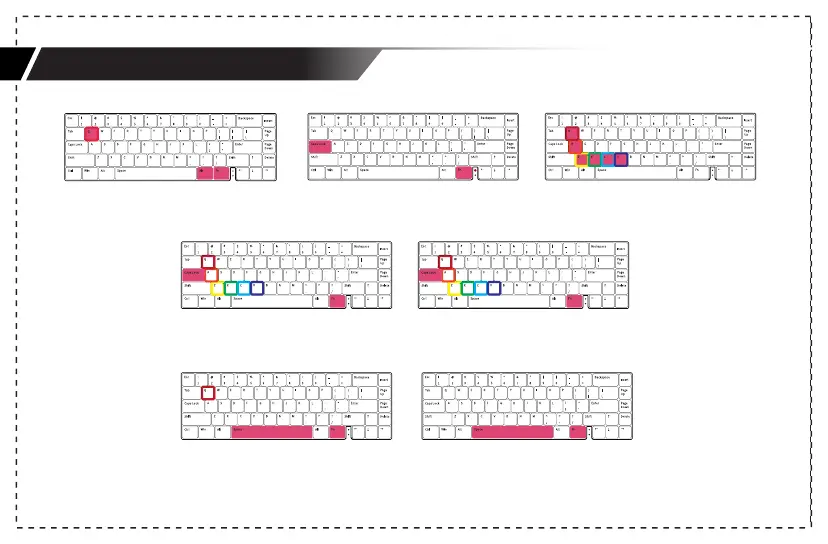
Customize Light Effects switch example
2.Hold Fn + CapsLock for 3s to start recording.
The indicator of CapsLock will blink slowly;
3.Set the keys to be lit in sequence, and press
the same key to change the light color of
the key;
4.Press Fn + CapsLock to finish the current
light recording. Use Step 1 to choose to
record other sets of customized light effects;
5.Hold Fn + Capslock for 3s to finish the recording.
·Press Fn + Backspace to turn on/off the
indicator lights of current customized
light effects set.(1/2/3/4).
·Hold Fn + Backspace for 3s to reset the current
customized light effects set.



 To Next Page