EasyManua.ls Logo

Varta V-AVM650D - User Manual

Varta V-AVM650D
118 pages
Print Icon
To Next Page IconTo Next Page
Loading...
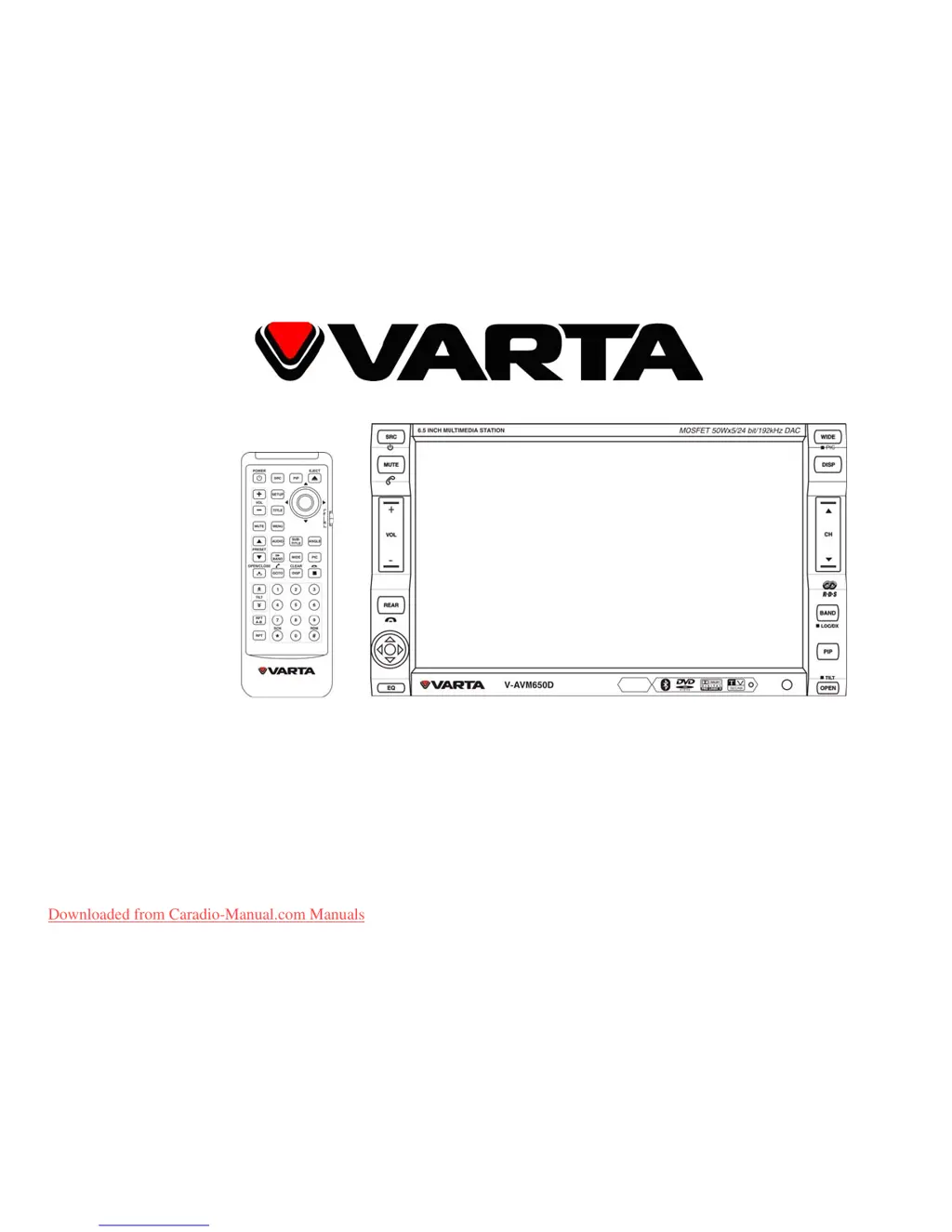
V-AVM650D
2 DIN MULTIMEDIA DVD RECEIVER WITH MOTORIZED 6.5” TFT DISPLAY, TV TUNER,
BLUETOOTH AND COMPATIBILITY TO GPS
2DIN МУЛЬТИМЕДИЙНЫЙ DVD-РЕСИВЕР С 6.5” МОТОРИЗОВАННЫМ TFT-
ДИСПЛЕЕМ, ТВ-ТЮНЕРОМ, ИНТЕРФЕЙСОМ BLUETOOTH И ВОЗМОЖНОСТЬЮ
РАБОТЫ С GPS-НАВИГАЦИЕЙ
Instruction manual Руководство по эксплуатации
Downloaded from Caradio-Manual.com Manuals

Questions and Answers

  • R
    Robin AlexanderSep 9, 2025
    Why does the remote controller not work on my Varta Car Video System?
    • D
      Deborah SanchezSep 9, 2025
      If the remote controller for your Varta Car Video System isn't working, try changing the battery or ensuring it's correctly installed.
  • B
    Brianna CaldwellAug 23, 2025
    Why there are no images on my Varta V-AVM650D Car Video System?
    • H
      hinesamyAug 23, 2025
      If you are getting no images on your Varta Car Video System, ensure that the video line from the main unit to the TV is properly connected.
  • D
    David MorenoAug 25, 2025
    What causes sound skips on Varta Car Video System?
    • J
      johnny56Aug 26, 2025
      If the sound skips on your Varta Car Video System, the CD might be dirty or damaged.
  • S
    smithashleyAug 27, 2025
    Why do images skip on Varta Car Video System?
    • K
      Kenneth BrownAug 27, 2025
      If your Varta Car Video System images skip, it might be due to an improper setting of the color system. Try setting the color system according to the connected television.
  • R
    Robert LewisAug 27, 2025
    What to do if my Varta V-AVM650D is unable to receive stations?
    • J
      John ThomasAug 28, 2025
      If your Varta Car Video System is unable to receive stations, check whether the antenna is inserted or properly connected. If not, insert the antenna or connect it properly.
  • G
    gmosleyAug 29, 2025
    How to fix when the touch function abate on Varta V-AVM650D Car Video System?
    • G
      Gavin WilliamsAug 29, 2025
      If the touch function of your Varta Car Video System doesn't work, turn the power on again, press the RESET button, and touch the buttons after closing the front panel for 2 seconds.
  • C
    Charles WarrenSep 17, 2025
    What to do if some errors occur in the LCD of Varta Car Video System?
    • W
      William JuarezSep 18, 2025
      If some errors occur in the LCD or there is no function when pressing the button on your Varta Car Video System, press the RESET button.
  • V
    Vincent MartinSep 18, 2025
    How to fix no power on Varta Car Video System?
    • W
      William ChambersSep 19, 2025
      Check the fuse and replace it with the correct one if it's blown in your Varta Car Video System.
  • T
    Timothy McdowellSep 7, 2025
    What to do if there are no images on Varta Car Video System?
    • N
      Noah PerezSep 7, 2025
      If there are no images on your Varta Car Video System, ensure the video line from the main unit to the TV is properly connected.
  • M
    Mary WilsonSep 4, 2025
    Why CDs cannot be loaded in Varta V-AVM650D?
    • S
      Sarah TurnerSep 5, 2025
      If CDs cannot be loaded into your Varta Car Video System, another CD might already be loaded in the mechanism.

Summary

Important Safeguards

Installation and Connections

Installation Overview

General guidelines for installing the unit, including safety precautions and placement.

Control Cables Connections

Details on connecting various control cables for specific functions like auto brightness and mute.

Installation Methods

Describes two distinct methods for physically installing the unit into the vehicle.

Wiring Connection

Visual representation of all electrical connections required for the unit.

Specific Cable Connections

Detailed instructions for connecting parking brake and reverse driving signal cables.

Unit Controls

Remote Control

Lists all buttons on the remote control and their functions.

Basic Operation

Power, Password, and Volume

Instructions for turning the unit on/off, entering passwords, and adjusting volume.

Source Selection and Monitor Adjustment

How to select input sources, operate the monitor, and change display modes.

Radio Operations

Disc Media Operations

USB;SD Card Operations

Bluetooth Connectivity

Modes, Pairing, and Connection

Explains modes, pairing, and connecting mobile phones via Bluetooth.

TV Tuner Operations

System Setup

Troubleshooting Guide

Varta V-AVM650D Specifications

General IconGeneral
BrandVarta
ModelV-AVM650D
CategoryCar Video System
LanguageEnglish

Related product manuals