- 31 -
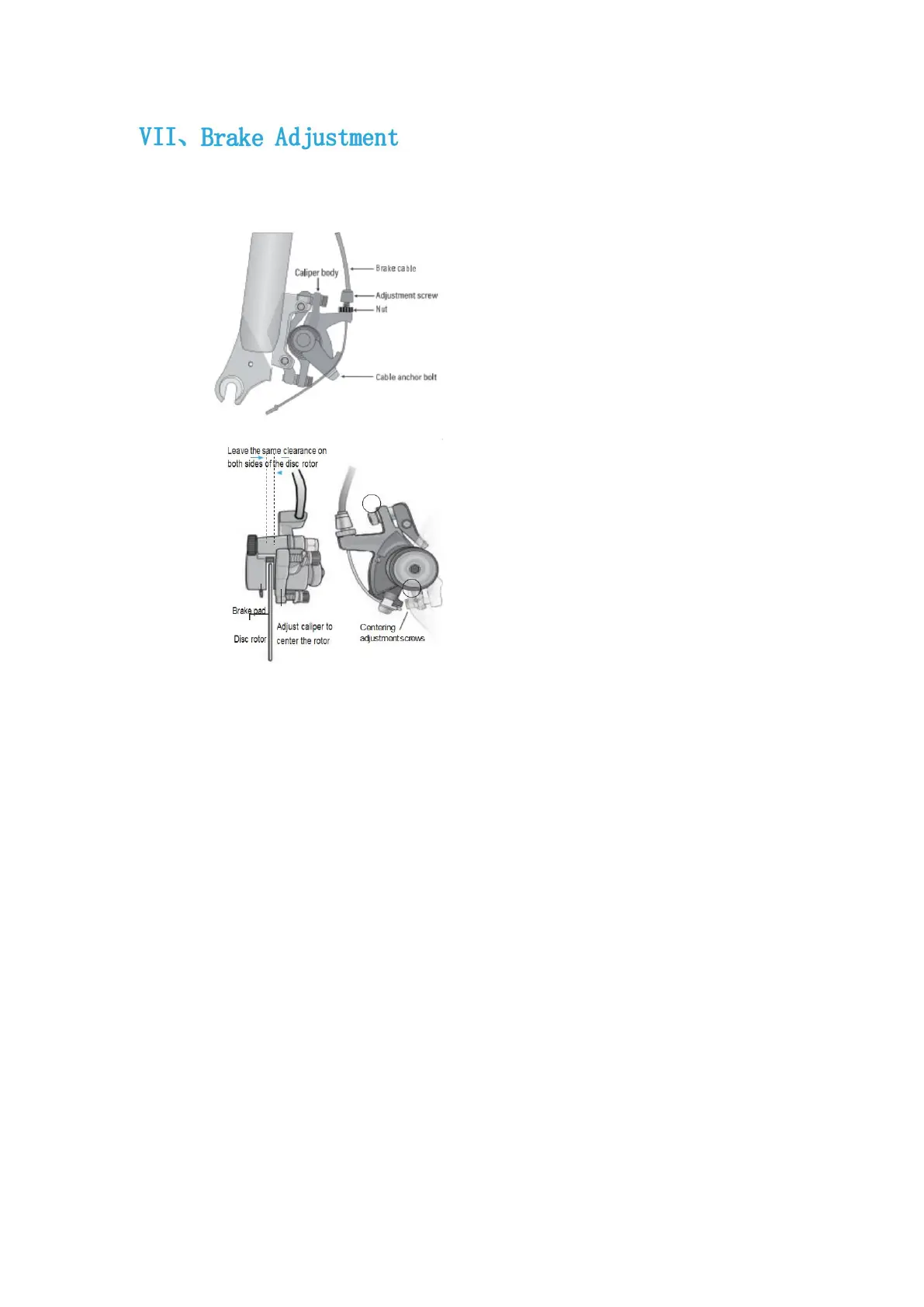
Before aligning the mechanical disc brake, make sure the brake cable is properly plugged
into the brake lever. If the disc rotor is bent or damaged, replace the rotor first.
If the brakes are not sensitive, loosen
the fixing bolt of the brake line,
shorten the braking distance of the
brake line, and then tighten the bolt.
Or, when the brakes are too sensitive,
lengthen the brake line distance.
If the rotor always rubs against the brake pads
or has too much clearance, loosen the two
alignment adjustment screws, but do not
remove them. Turn the wheel slowly and check
the space between the rotor and the brake
pads; adjust the position of the pads and rotor
so that the rotor and pads avoid rubbing. When
adjustment is complete, tighten the screws.
You can also order brakes from
specialized dealers. The
dimensions are shown on the
left (in mm):



 To Next Page