English 5
1. Operation of the device
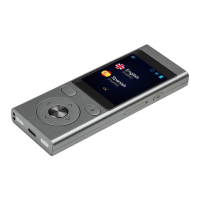
1.1 Function keys
Power
• Device turned o: hold this key for 5 seconds to turn the device on.
• Working device:
• push this key to block the screen, push again to unblock
• push and hold the key for 2 seconds and tap “Power o” to turn
the device o
Volume
• Working device: push up or down to increase or decrease the
volume.
• You will see the following icon
.
Back
The back button allow you to get back to the previous screen.
Arrows
The up/down arrow keys allow you to highlight the translated text.
They also serve to select options in the settings.
Enter
The Enter button allows you to replay translated text. It also serves to
conrm the selected option in the settings.
1.2 Battery charging
• Plug the charger into an electric socket and the USB cable into the
device in order to charge the battery.
• The battery indicator moves to charging mode.



 To Next Page