EasyManua.ls Logo

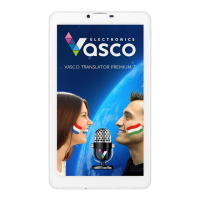
Vasco Translator Premium 7 - User Manual

Vasco Translator Premium 7
20 pages
Print Icon
To Next Page IconTo Next Page
Loading...
Vasco Translator
USER MANUAL
ENGLISH
Question and Answer IconNeed help?

Do you have a question about the Vasco Translator Premium 7 and is the answer not in the manual?

Summary

Operation of the device

Function keys

Explains the function keys for power, volume, and screen lock operations.

Battery charging

Instructions for charging the device's battery using the provided charger and cable.

Built-in SIM card

Information on the pre-paid SIM card, including top-up and expiration details.

Vasco Translator

Choosing the source and target languages

How to select the languages for translation using flags and scrolling.

Voice recognition

Using the voice recognition feature to input text for translation.

Menu

Conversation

Launch the Conversation application for foreign language dialogue.

Conversation

Settings

Networks

Configuring WiFi and GSM network connections.

Summary

Operation of the device

Function keys

Explains the function keys for power, volume, and screen lock operations.

Battery charging

Instructions for charging the device's battery using the provided charger and cable.

Built-in SIM card

Information on the pre-paid SIM card, including top-up and expiration details.

Vasco Translator

Choosing the source and target languages

How to select the languages for translation using flags and scrolling.

Voice recognition

Using the voice recognition feature to input text for translation.

Menu

Conversation

Launch the Conversation application for foreign language dialogue.

Conversation

Settings

Networks

Configuring WiFi and GSM network connections.

Vasco Translator Premium 7 Specifications

General IconGeneral
BrandVasco
ModelTranslator Premium 7
CategoryeBook Reader
LanguageEnglish

Related product manuals