20
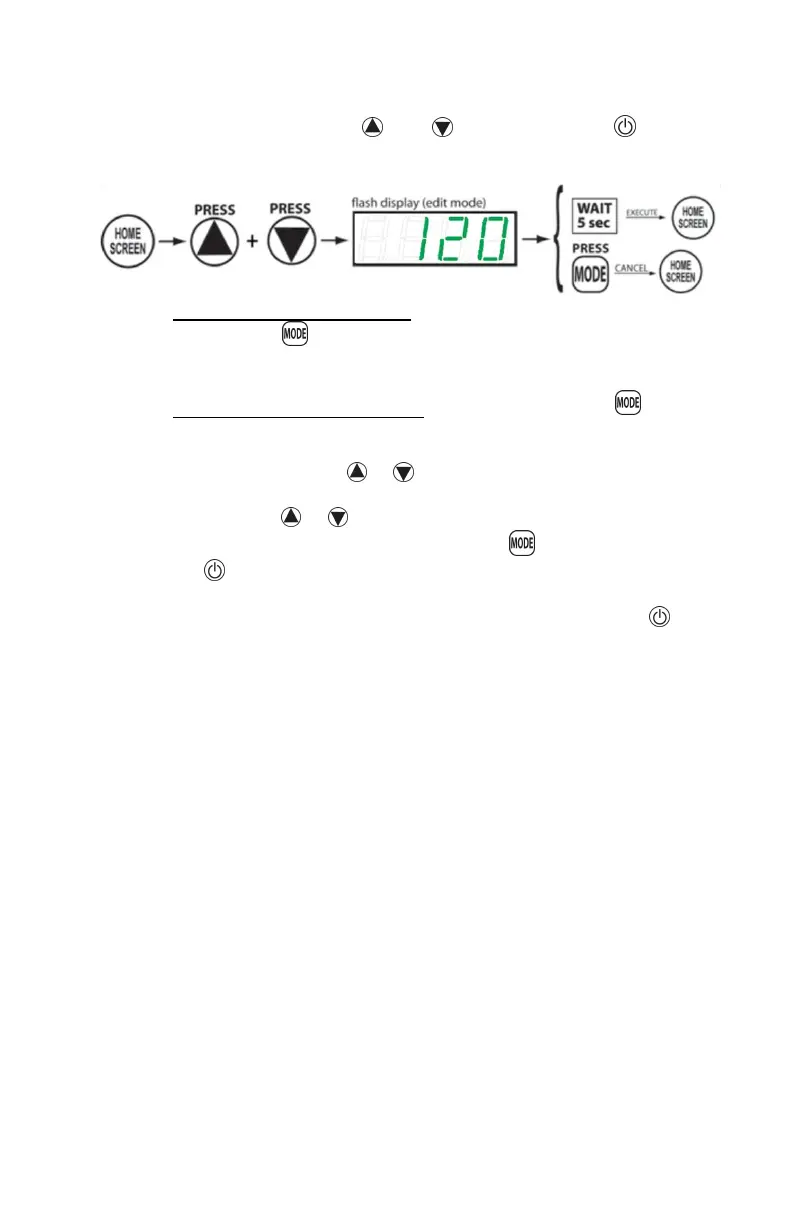
temperature setting has been reached, allow the screen to
time out after about 5 seconds. The new setpoint can also be
saved by pressing the AND buttons. Pressing will
cancel the changes without saving. The display will now
show the newly set temperature (e.g., “116”).
To access the options menu, from the home screen, press
and hold the button until the display reads “diFt” (top
differential), this is the first selection in the options menu.
To navigate the options menu, continue to press the
button to cycle through the available options until the desired
option is displayed. When the option to be changed is
displayed, press the or buttons to enter the edit mode.
When the display is flashing, the option may be altered by
pressing the or buttons until the desired choice is
displayed. To set the change, press the button, or press
the button. The change will be made and the controller will
return the user to the options menu. To exit the menu at any
time, let the display timeout after 5 seconds or press the
button.



 To Next Page