Vax Careline: AU: 1300 361 505
NZ: 0800 800 900
13
Operation
After starting, the robot cleans in power mode.
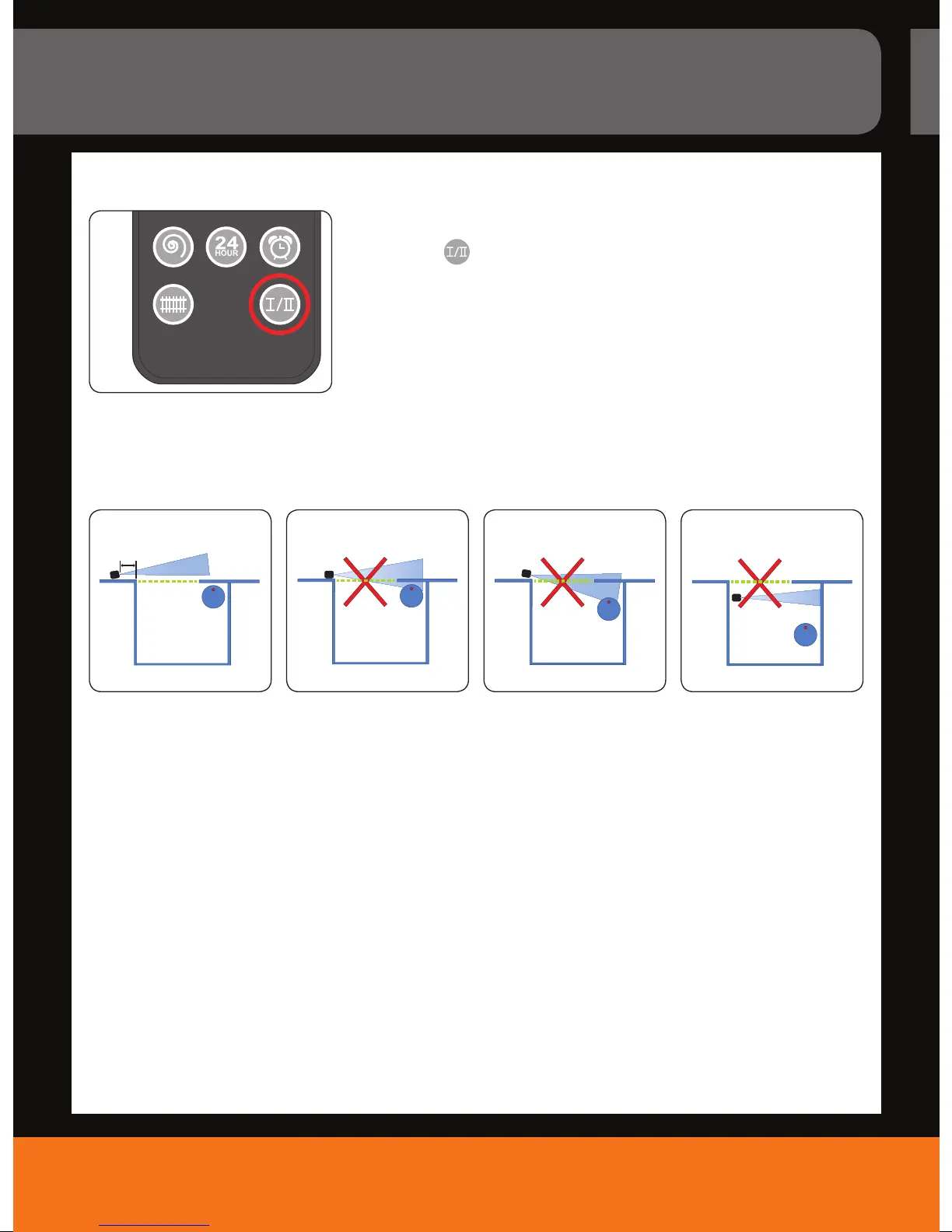
1. Press the “
“ key on the remote control once to enable silent
mode if necessary (Fig. 14).
2. Press the button again to switch back to power mode.
NOTE: Once you have chosen the power mode, the suction rate and
working speed are higher than in silent mode and therefore your robot
consumes more power.
Switching between power or silent mode
14.
How to position the virtual wall
15. 16. 17. 18.
1. Position the virtual wall such that the light beam runs parallel to the boundary (green dashed line)
This is achieved by placing the wall at least 0.5m from the door frame (Fig. 15).
2. Make sure the light beam does not shine into the room to be cleaned (Fig. 16-18).
3. Position the virtual wall such that the light beam does not shine on reective walls or surfaces.



 To Next Page