Vax Careline: AU: 1300 361 505
NZ: 0800 800 900
vax.com.au
vax.co.nz 8
Operation
1. Ensure, that the docking station is being positioned correctly
(Fig. 1, on page 7).
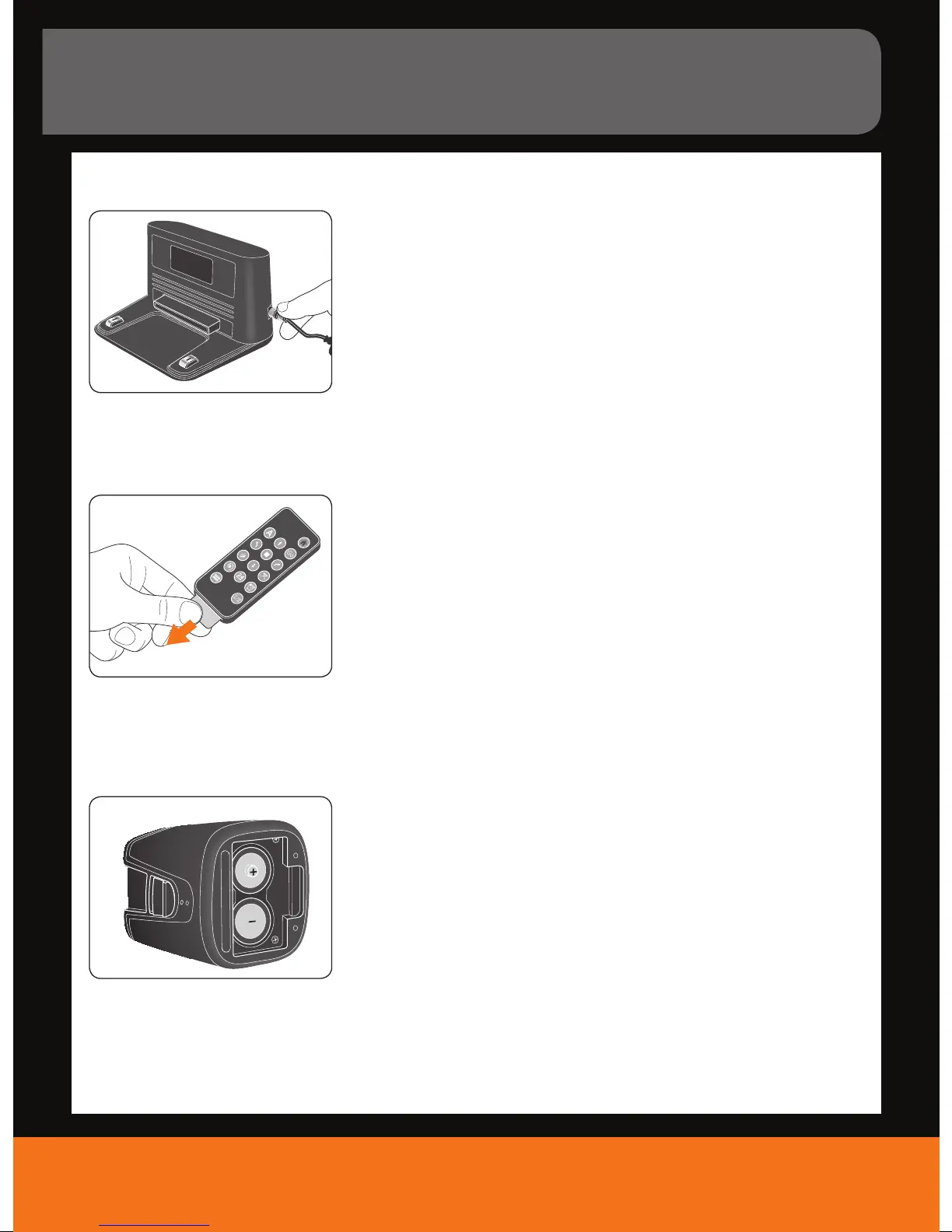
2. Plug the connector of the AC adapter cable into the socket on the side
of the docking station (Fig. 4).
3. Connect the AC adapter plug to the mains socket.
1. Remove the plastic lm from the remote control’s
battery compartment (Fig. 5).
1. Open the battery compartment cover.
2. Insert the 2 supplied batteries (type C, 1.5 V) as indicated and
make sure you position them correctly (Fig. 6).
NOTE: When changing batteries, be sure not to mix batteries of dierent
types or of those that are fully charged with those that are partly charged.
Connecting the docking station
Activating the remote control
Inserting batteries into the virtual wall
4.
5.
6.



 To Next Page