Taking care of your machine
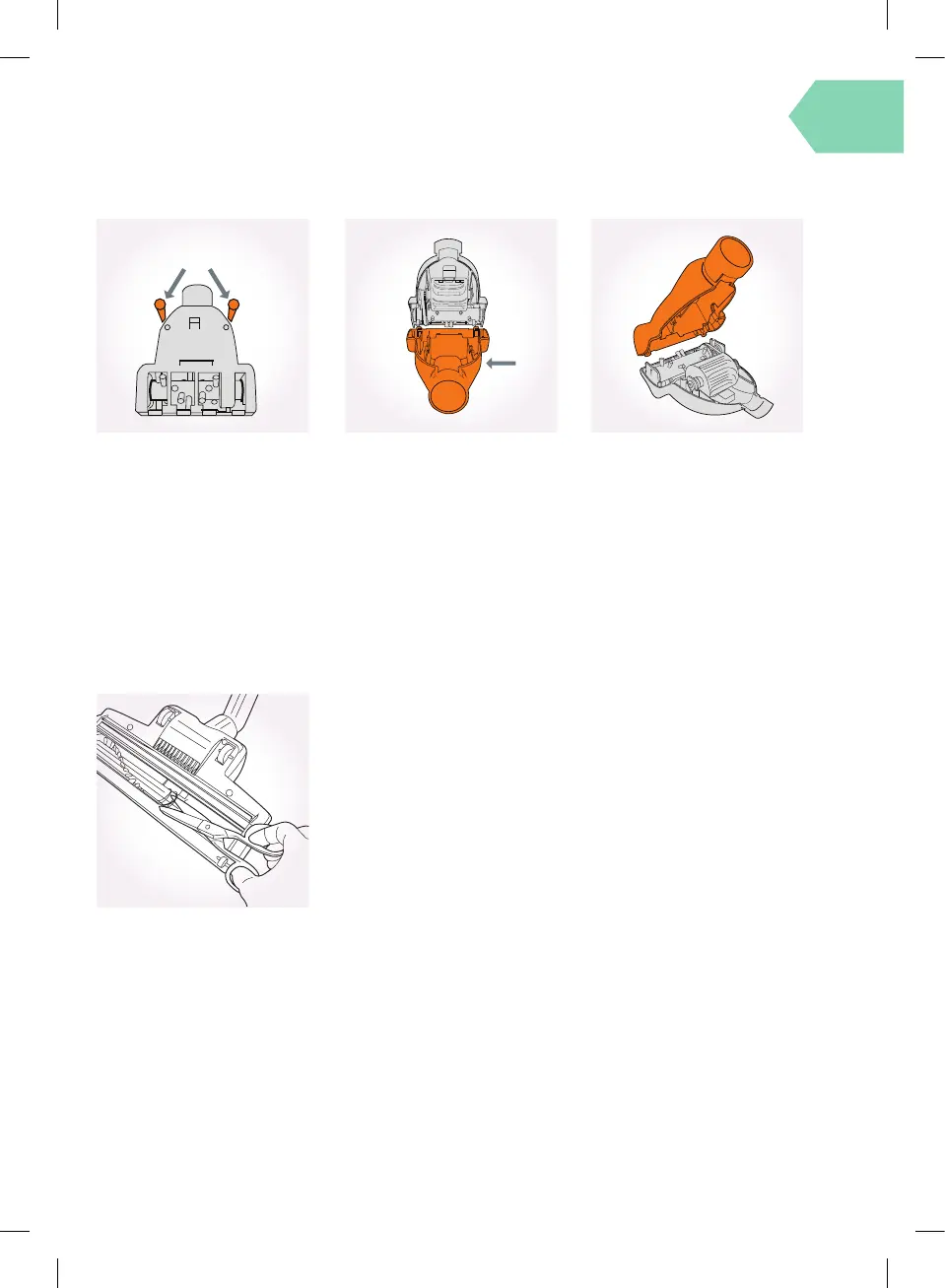
Removing blockages from the TurboTool
Removing blockages from the Turbobrush
A
B
Replace the bottom cover, insert
and tighten the screws.
Clean the TurboTool by removing
the 2 screws (A), located on the
bottom cover, with a crosshead
screwdriver.
Switch the vacuum cleaner o
and disconnect the power plug
from the electrical outlet.
Lay the Turbobrush on a at
surface and turn over to expose
the brushbar. Using a pair of
scissors, cut through any threads
or hairs caught around the
brushes and brushbar.
Take care not to cut the brushes.
Remove the bottom cover (B).
Clean out any debris or hair from
the brushbar and turbine fan.







 To Next Page