Taking care of your machine
IMPORTANT: If the brushbar has been obstructed, the Motor Protection Sensor may have been activated and the
brushbar will stop. Remove the oor head from the machine and clear any obstruction. Ret the oor head, switch
on the vacuum cleaner by pressing the trigger.
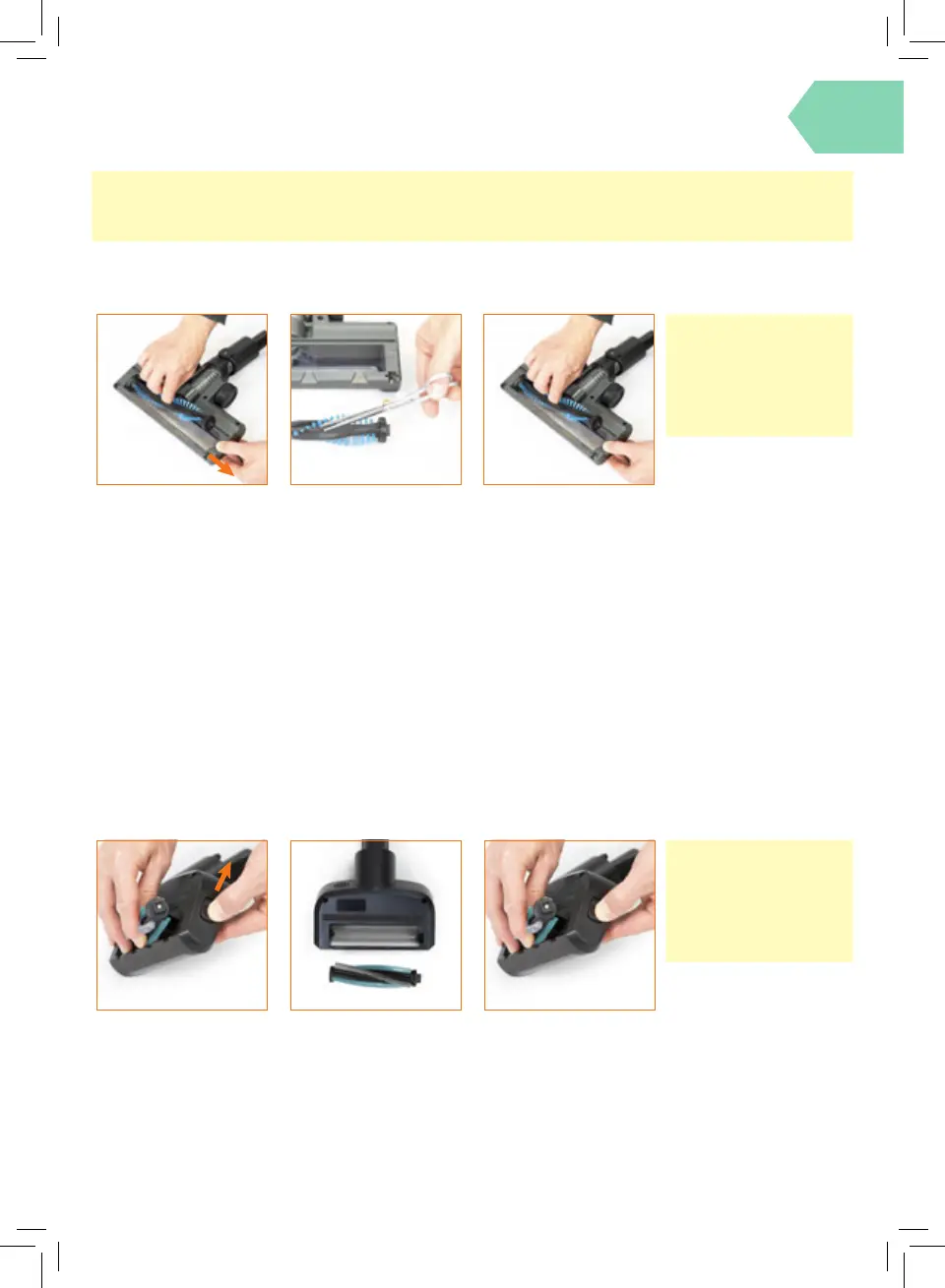
Removing and replacing the multi-surface oor head brushbar
Switch o the vacuum
and press the Floor
Head Release Button to
detach the oor head
from the wand. Slide
and hold the brushbar
release button with
one hand, using the
other hand remove the
brushbar from the oor
head.
Remove the mini
motorised tool from the
vacuum. Slide and hold
the brushbar release
button with one hand,
using the other hand
remove the brushbar.
Using scissors, carefully
remove any threads or
hair from around the
brushbar and clear any
dirt or debris from the
oor head. Avoid
damaging or cutting the
bristles.
Using scissors, carefully
remove any threads or
hair from around the
brushbar and clear any
dirt or debris from the
oor head. Avoid
damaging or cutting the
bristles.
Removing and replacing the mini motorised tool brushbar
When re-tting the
brushbar t the right side
into the housing rst.
Then line up and slot into
place the left side.
When re-tting the
brushbar t the right
side into the housing
rst. Then line up and
slot into place the left
side.
IMPORTANT:
For best performance,
regularly remove any
threads or hair from
around the brushbar.
IMPORTANT:
For best performance,
regularly remove any
threads or hair from
around the brushbar.




 To Next Page