Taking care of your machine
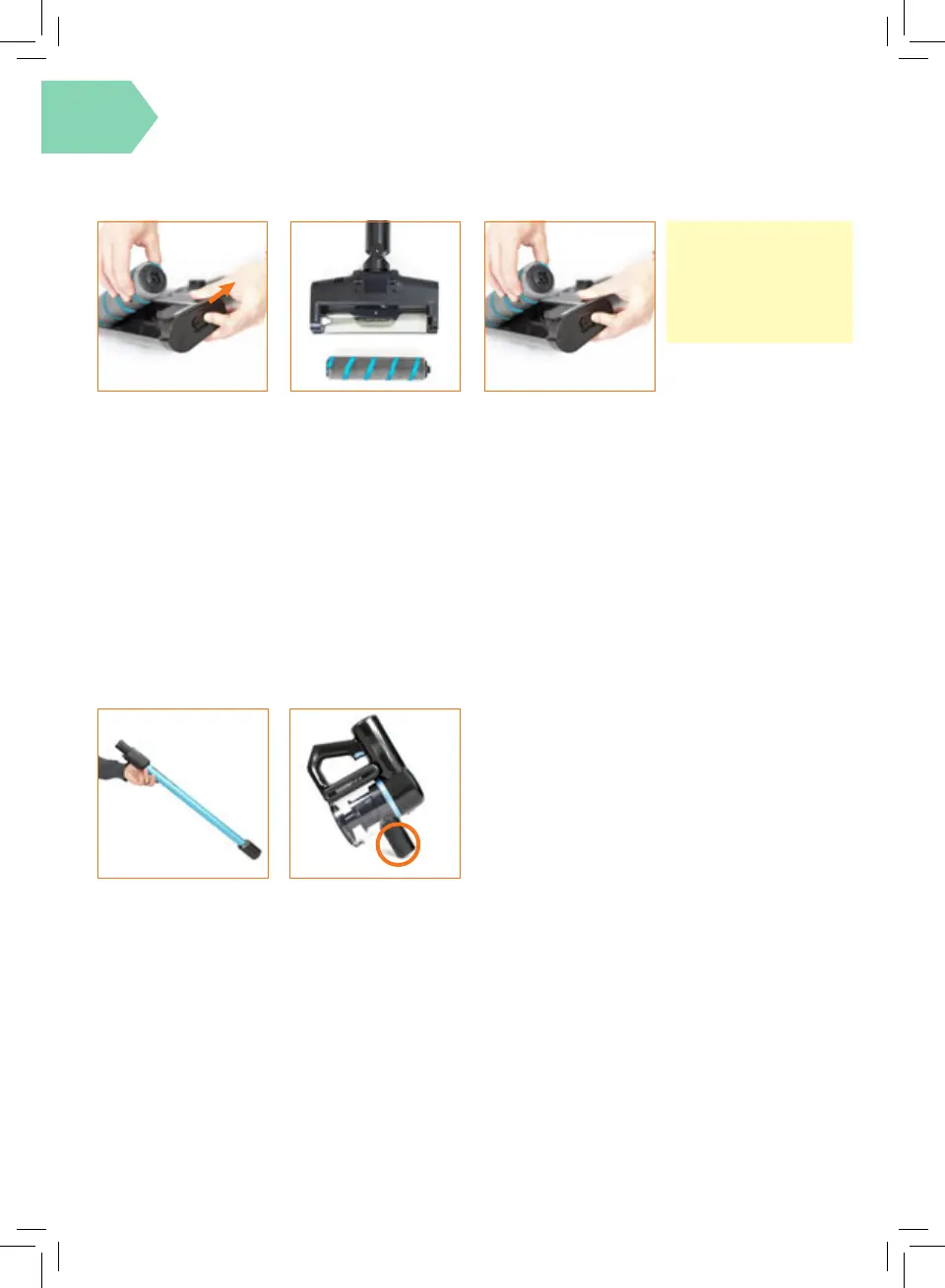
Removing blockages from reach wand and handheld
To test for a blockage in
the reach wand, drop a
small ball of paper into the
wand. The paper will drop
through if the wand is
clear. Use a broom handle
or similar blunt object to
remove any blockage.
Removing and replacing the microbre hard oor head brushbar
Switch o the vacuum
and press the Floor
Head Release Button to
detach the oor head
from the wand. Slide
and hold the brushbar
release button with
one hand, using the
other hand remove the
brushbar from the oor
head.
Using scissors, carefully
remove any threads or
hair from around the
brushbar and clear any
dirt or debris from the
oor head. Avoid
damaging or cutting the
bristles.
When re-tting the
brushbar t the right
side into the housing
rst. Then line up and
slot into place the left
side.
IMPORTANT:
For best performance,
regularly remove any
threads or hair from
around the brushbar.
Press the handheld
release button and remove
the reach wand. Check
and clear any dirt and
debris from the handheld
connection point.




 To Next Page