8
vax.com.au
vax.co.nz
Looking After Your Machine
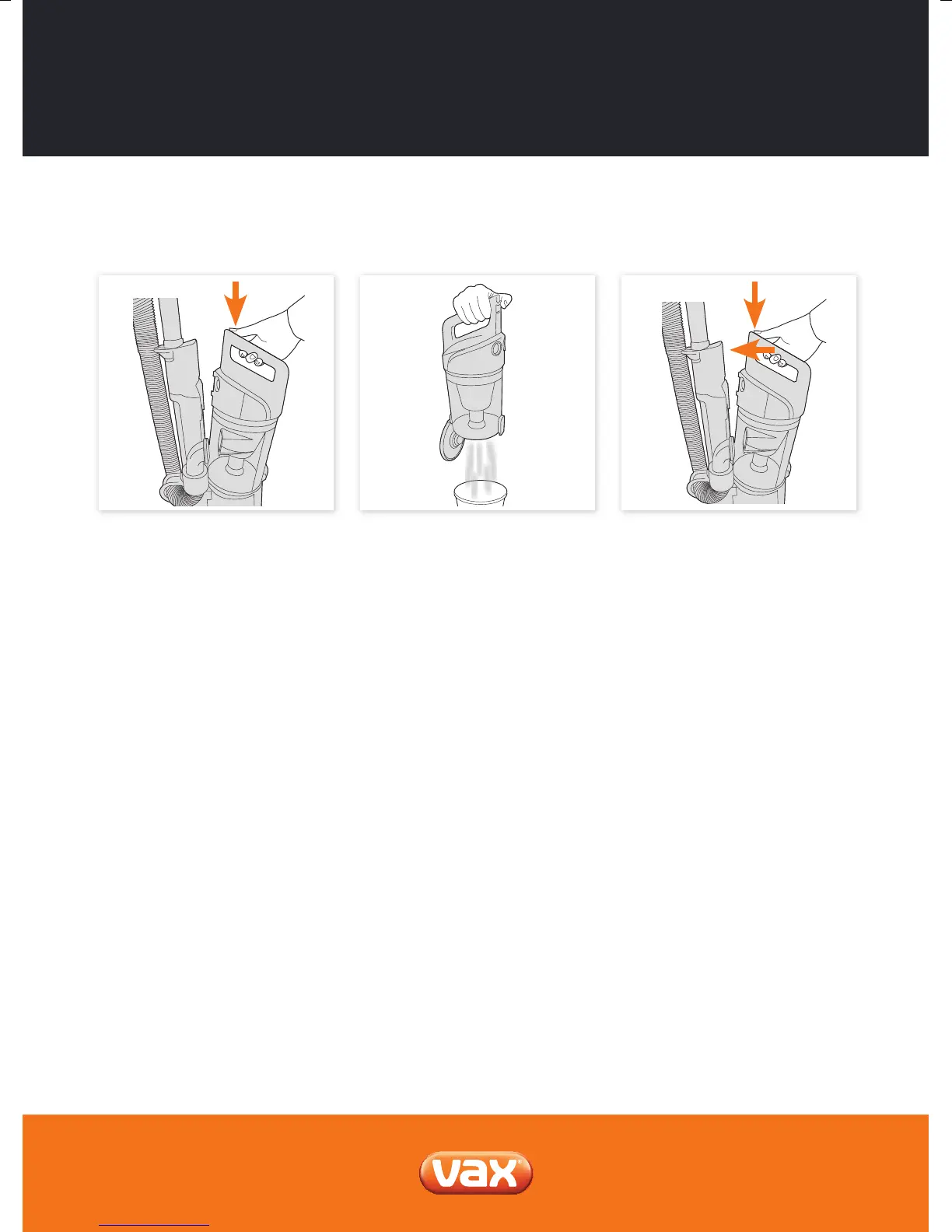
Press the dirt container release button
and pull to remove the dirt container.
Hold dirt container over a bin and press
the dirt container release button to open,
allowing dirt to fall out.
Emptying and cleaning the dirt container
When re-attaching the dirt container,
align the base rst then push until you
hear an audible click. The dirt container
is now locked in place.
NOTE: Don’t over ll the dirt container to avoid clogging the lter.



 To Next Page