Quick Start
Guide
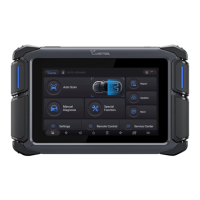
VD70 Automotive Diagnostic Tool
IMPORTANT: Before using this device, please read the precautions in this operating guide or the user
manual. If any personal loss is caused by improper operation, the warranty may become void.
Note: You can view the user manual in PDF le on the diagnostic tablet at Main Menu ->More -> User Manual or
download from our website www.vdiagtool.com.
SOFTWARE UPDATE
IMPORTANT: Make sure that the diagnostic tablet is connected to Wi-Fi and has sucient memo. And it
is recommended to connect the diagnostic tablet to a power source when updating to prevent it from
automatically shutting down due to low power. You can check the number of software updates available
through the red bubble at the top right of the “Updates” on main menu.
After entering the “Updates” page, the list of all updates available will be displayed.
●
Download software:
●
Click the “Update All” button to download all available software program updates.
Click “Update” icon on the right of each row to download the specic software program.
program.
When the software program is downloaded, it will be automatically installed and overwrite the older version software
●
progress will continue from where it’s left.
If the download is interrupted for any reason, the download progress will be saved. Click “Update” again and the
●
Step 1:
Press and hold the Power Button to turn on the diagnostic tablet.
●
Select the App language and sta the activation.
●
Input your E-Mail address and click OK to complete the activation.
●
Step 2:
Connect the main cable to the diagnostic tablet and tighten
the screws.
Step 3:
Plug the other end of the main cable into the vehicle’s DLC po.
Step 4:
Your diagnostic tablet is now ready for diagnosis.
GETTING STARTED


 To Next Page
 Need help?
 General