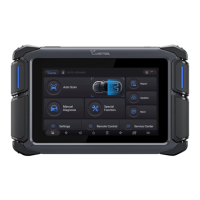
REPORT PRINTING
IMPORTANT: Do not connect the printer to the diagnostic tablet using data cable which may damage the
diagnostic tablet!
Add the printer and input the IP address of the printer in the printer driver APP.
●
Back to the Android desktop, go to Settings -> Printing-> Turn the printer driver on.
●
Tap on the button on the top-left corner of the screen and choose the printer you added before.
●
Click the button on the right to print.
●
diagnostic tablet.
Make sure your printer suppos WiFi direct, and install a driver application that suppos the target printer on the
●
channel.
Note: If you need fuher assistance on printing, please reach us via suppo@vdiagtool.com or refer to our YouTube
Print icon.
Then go back to the diagnostic APP, and proceed through the path: Repo-> Choose one repo->Click the
●
PDF Repo button-> Select Adobe Acrobat -> A PDF le will be automatically generated and opened.
●
LANGUAGE CHANGE
IMPORTANT: VDIAGTOOL VD70 diagnostic tablet suppos multi-languages software programs and
updates in bilingual. The software is preinstalled in English on each device, and when a new language is
authorized, the new software programs need to be downloaded.
Provide the S/N of your diagnostic tablet and which language software you need to your dealer.
●
When the new language software is authorized, tap on the “Settings” button, and switch to the language you need.
●
Enter the “Updates” menu and download all available updates.
●
CONTACT US
suppo@vdiagtool.com
After-Sales Seices & Tech Suppo:
Headquaer Address:
Room 801, Block A, Zaoan Bussiness Building, Shigu Road, Xili Residential District, Nanshan District, Shenzhen
Ocial Website:
www.vdiagtool.com
For wholesale business or become our distributors:
E-Mail: sales@vdiagtool.com
E-Mail: inventers@vdiagtool.com
Facebook Page:
https://www.facebook.com/prole.php?id=61550760872613
Facebook User Group:
https://www.facebook.com/groups/1278852129665315
Instagram:
https://www.instagram.com/vdiagtool_ocial
X:
https://twitter.com/VdiagTool
TikTok:
https://www.tiktok.com/@vdiagtool_ocial
YouTube:
https://www.youtube.com/@VdiagTool12
Reddit:
https://www.reddit.com/r/vdiagtool/
Create social media content, post online and help our community:
E-Mail: marketing@vdiagtool.com
Invent with us, test products before they hit market, help us make better products for eveone:
Test our new products before they hit market and help us make better products.
Share us with your friends, join our community to get tutorials, suppo and more.
Scan QR Code below to subscribe to our social media:
Shenzhen vdiagtool Technology Co. Ltd Copyright ©vdiagtool.com. All Rights Reseed


 To Previous Page
 Loading...