EasyManua.ls Logo

vds EURO230M2 User Manual

vds EURO230M2
12 pages
Go to English
To Next Page IconTo Next Page
Page #1 background imageLoading...
Page #1 background image
I
MANUALE D’ISTRUZIONE
E
ISTRUCCIONES DE USO
GB
INSTRUCTION MANUAL
F
MODE D’EMPLOI
P
INSTRUÇÕES DE USO
EURO230M2
[code E105]
ATTENZIONE!! Prima di effettuare l’installazione, leggere attentamente questo manuale.
La VDS declina ogni responsabilità in caso di non osservanza delle normative vigenti.
¡ATTENCIÓN!! Antes de efectuar la instalacion, lea attentamente el presente manual. La Empresa )*0$7,& no
asumirà responsabilidad alguna en caso de inobservancia de las normas vigentes en el pais donde se lleva a cabo la
installacion WARNING!! Before installing, thoroughly read this manual that is an integral part of this Kit. )*0$7,&
declines any responsa-bilità in the event curret stadards in the country of installation are not comlplied with.
ATTENTION!! Avant d’effectuer l’installation, lire attentivement le présent manuel qui fait partie intégrante de cet
embal-lage. La société)*0$7,& décline toute responsabilità en cas de non respect des normes en viguer.
ATENÇÃO!! Antes de instalar, leia este manual. )*0$7,& isenta de qualquer responsabilidade pelo não cumprimento
com os regulamentos.
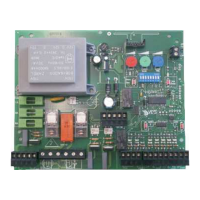
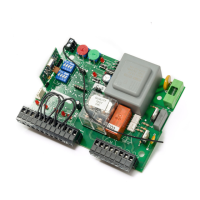
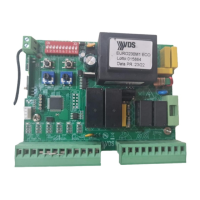
Apparecchiatura di comando 2 Motori 230Vac
Cuadro electronico para dos motores 230Vac
Elettronic control panel for two 230Vac motors
Dispositif de commande 2 moteurs 230Vac
Central de controle de 2 motores 230Vac
v A 261010
Question and Answer IconNeed help?

Do you have a question about the vds EURO230M2 and is the answer not in the manual?

vds EURO230M2 Specifications

General IconGeneral
Brandvds
ModelEURO230M2
CategoryControl Panel
LanguageEnglish

Summary

Working Modes and Options

Option 1 - Automatic Closing

Configures the automatic closing function after a set waiting time.

Option 2 - Disable Stop Opening

Controls the behavior of the alternative button during opening.

Option 3 - Radio Programming

Enables or disables radio programming functionality.

Option 4 - Inversion Shut

Determines if electro lock activates before opening.

Option 5 - Photo Electric Cell Opening/Band

Configures safety input for photocell or safety band.

Option 6 - Flashing Light

Sets the behavior of the flashing light indicator.

Option 7 - Buffer Closing

Enables buffer closing and soft stop for drives.

Option 8 - Hydraulic Drive

Configures settings for hydraulic drive systems.

Time Programming

Standard Control Panel Set Up

Power Supply Terminals

Wiring terminals for the control panel power supply.

Regulators

Adjustment controls for automatic closing time and motor power.

Push Buttons Terminals

Connection points for external push button controls.

Bridge Selectors

Selectors for radio frequency and receiver type.

Terminal Description

Accessories Terminals

Connections for external accessories like photocells.

Power Supply Terminals

Input terminals for main power supply.

Garage Light Terminal

Terminal for connecting a garage light.

Limit Switch Terminals

Connections for limit switches for motor control.

Safety Terminals

Inputs for safety devices like safety edges.

Electro Lock Terminal

Connection for an electric lock.

Antenna Terminal

Connection point for the radio receiver antenna.

Related product manuals