30
en
7.4. Description of User
Interface
7.4.1. Keypad
1) POWER
Switches the device on (LED on) and off (LED off).
2) CAL
Calibrates the contra-angle to ensure torque
accuracy each time the contra-angle is replaced
or lubricated.
3) ASR – In rotary mode
Green LED: In continuous rotation, auto-stop-
reverse motion when preset torque is reached.
Red LED: In continuous rotation, reverse motion
without torque limitation, controlled by foot pedal.
LED off: In continuous rotation, when the preset
torque is reached, micromotor will stop.
ASR is disabled in reciprocating mode (LED off).
4) LED BATTERY
Shows battery status; signals that the battery
requires recharging (for details see chapter 7.3.3.).
5) ✓ CONFIRM
Confi rms modifi cations to the torque and speed
settings in each system where modifi cations are
possible. Also reloads the default parameters
when used together with the power key. The
Confi rm key ✓ may also be used to start the
micro-motor without the foot pedal.
6+8) I◄/►I
Scrolls right/left in the bottom row of the display
through the fi le system, fi le, torque and speed
fi elds. The active fi eld is indicated by an arrow
(possible only in rotary mode).
7+9) + / -
The + and - keys allow to scroll through the fi le
systems and fi les and to individually change the
torque or speed values in all rotary fi le systems.
7.4.2. Display
After being switched on, all LEDs will light up and
a welcome screen will be displayed. On following
uses, it will display the fi rst fi le in the system last
used before switching the device off or the last fi le
used before switching into standby mode.
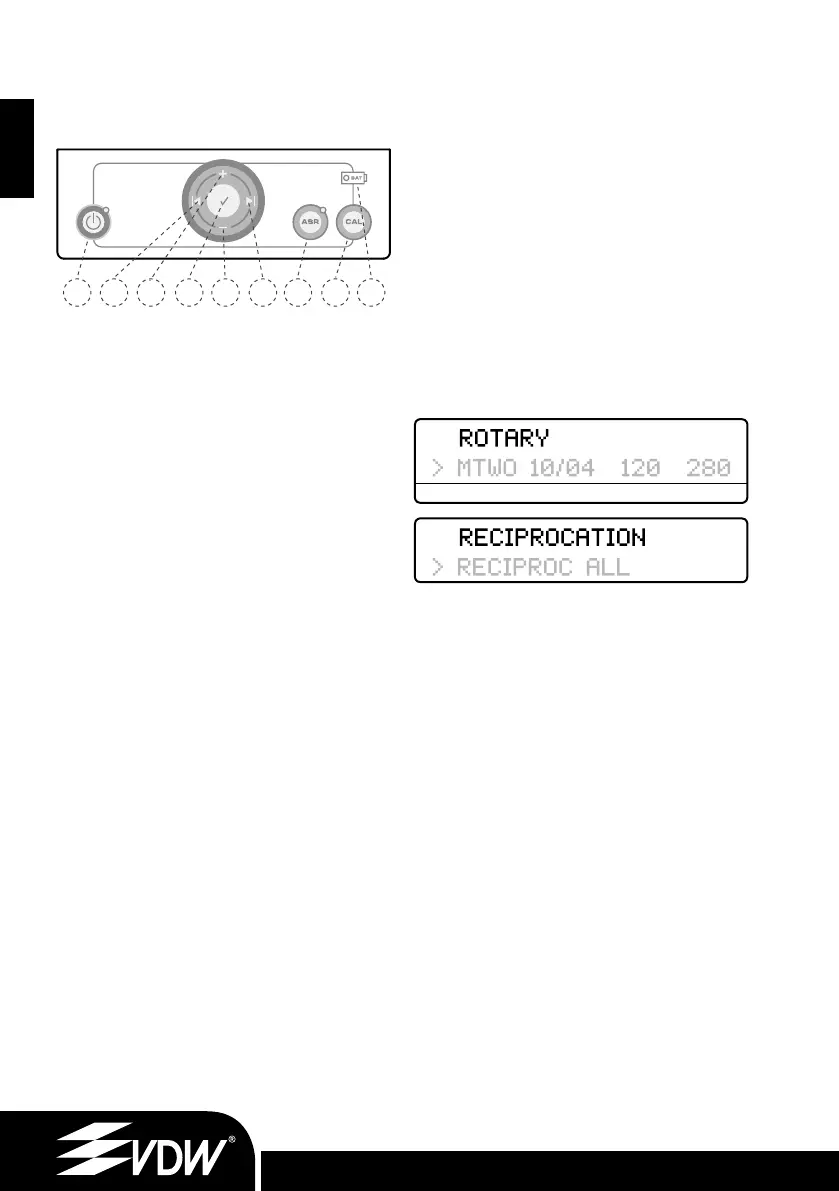
Top row: shows which mode is selected - either
rotary or reciprocation mode by writing ROTARY
or RECIPROCATION.
Bottom row:
1. In rotary mode 4 columns show system, fi le
size, preset torque and speed values.
2. In reciprocation the display will show the
respective reciprocating system in use.
sys
Displays the selected fi le system (e.g. RECIPROC
for RECIPROC
®
, FM for FlexMaster
®
, DR’S for
DR’S CHOICE etc.)
fi l e
Displays the selected fi le. ALL indicates that all
fi les of the system will be used with the same
settings.
gcm
Displays the preset torque limit (disabled in
reciprocation). Torque is shown in g/cm (grams-
force per centimeter: 1 gcm = 0.0981 Nmm)
rpm
Displays the instrument rotation speed in rpm
(revolutions per minute) (disabled in reciprocating).
• Press the I◄ and ►I keys to move to the right
and left (rotary mode only).
• Press the + and - keys to scroll through the fi le
systems and fi les and to individually change the
torque or speed values in all rotary fi le systems.
• Motor settings cannot be changed for reciproc
systems.
• When torque or speed values are changed
from the default settings, the display will show a
‘
-symbol in front of the torque or speed value.
sys fi le gcm rpm
1 6 7 35 9 8 42
Fig. 4 Keypad
9.6.11_VDW.SILVER_RECIPROC Upgrade Stick_inhalt.indd 309.6.11_VDW.SILVER_RECIPROC Upgrade Stick_inhalt.indd 30 09.06.2011 17:18:0109.06.2011 17:18:01


 To Next Page
 Loading...
