Need help?
Do you have a question about the Vecow EAC-5000 and is the answer not in the manual?
Overview of the system and its key features.
Detailed technical specifications for EAC-5000 and EAC-5100 models.
Physical dimensions and mounting details for EAC-5000/5100.
Lists all items included in the EAC-5000/5100 package.
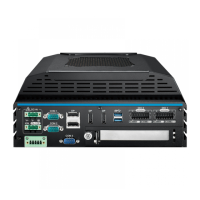
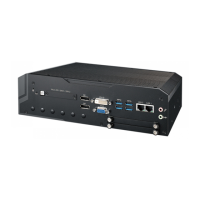
Details the connectors, buttons, and indicators on the front panel.
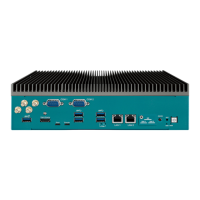
Explains the connectors and ports located on the rear panel.
Identifies the location of connectors and jumpers on the main board.
Describes how to configure jumpers for system settings.
Explains the ignition power control feature and its settings.
Provides step-by-step instructions for opening the device.
Guide on how to install a Nano SIM card into the system.
Instructions for inserting a Micro SD card for storage expansion.
Steps for installing a PCIe expansion card.
Covers the installation process for various M.2 modules.
Details the installation of M.2 Key E 2230 modules.
Provides instructions for installing M.2 Key M 2280 modules.
Guide for installing M.2 Key B 2242/3042 modules.
Instructions for installing M.2 Key B 3052 modules.
Steps to correctly connect antenna cables to the system.
Explains how to mount the device using different methods.
Guide for mounting the system on a wall.
Instructions for mounting the system using a VESA bracket.
Steps for mounting the system on a DIN rail.
Information on I/O support and examples for the system.
Step-by-step guide for flashing the operating system image.
How to configure ignition control via software.
Prerequisites and initial steps for GMSL camera setup.
Details power consumption metrics for the CPU in 30W mode.
Details power consumption metrics for the CPU in MAXN mode.
Lists compatible 5G, 4G, and GPS expansion modules.
Lists compatible Wi-Fi and Bluetooth expansion modules.
 General
| Operating System | Windows 10, Linux |
|---|---|
| Memory | Up to 32GB DDR4 |
| Storage | 2.5" HDD/SSD or mSATA |
| Graphics | Intel HD Graphics |
| Expansion Slots | 1 x PCIe x16, 1 x Mini PCIe |
| USB Ports | 4 x USB 3.0, 4 x USB 2.0 |
| Video Output | VGA, DVI-D |
| Networking | 2 x Gigabit Ethernet |

 To Next Page