9
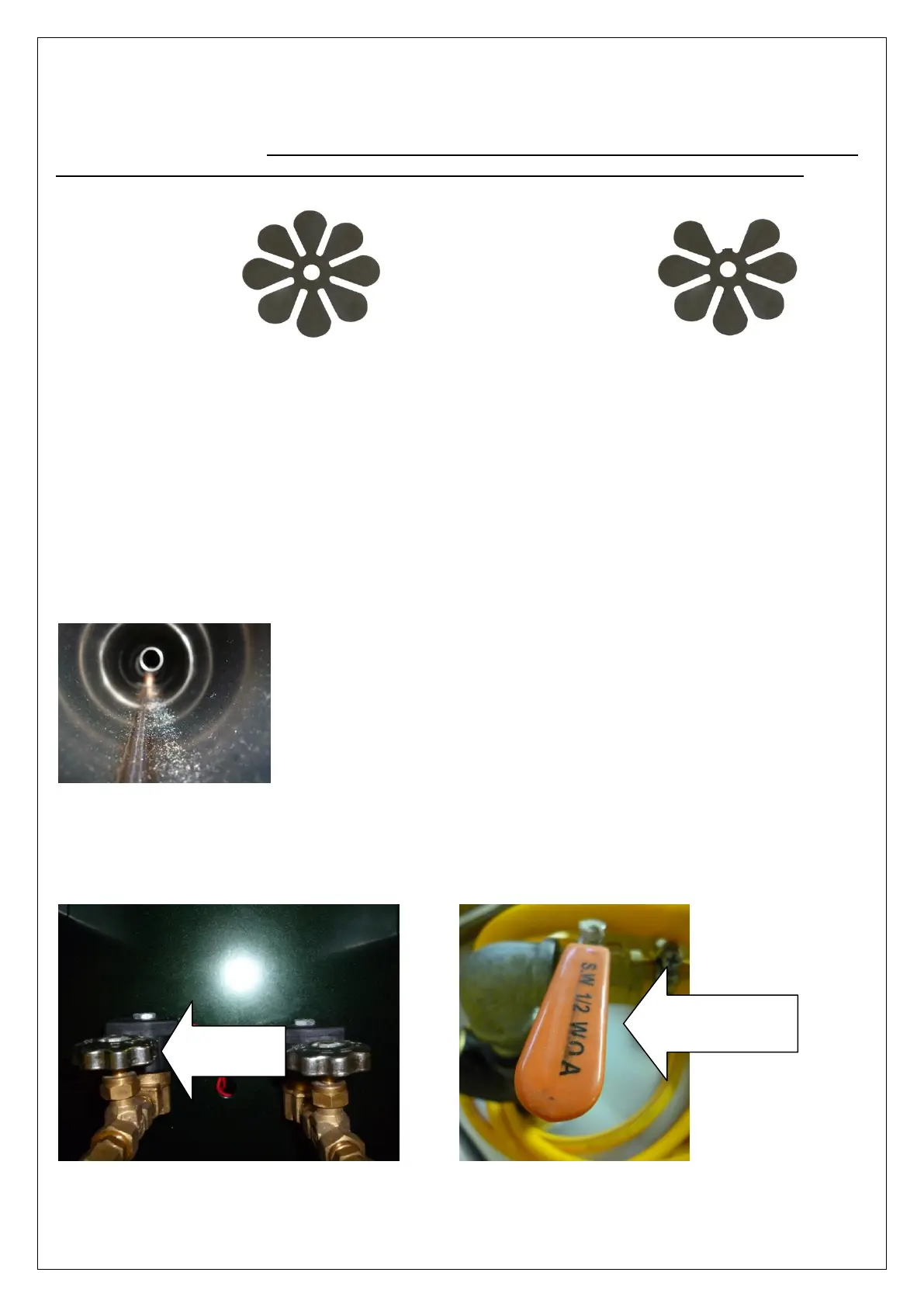
• Check the Petal Valve.
Remove the spark plug cap, filter and unscrew the carburettor. Examine the petal valve to see if it’s damaged. If it’s
damaged, replace petal valve. TIP: It’s important to assemble the parts of the carburettor in the order there where
disassembled. The distance between the petal valve and the valve plate o should be approximately 1 mm.
The machine is turned on, but the engine works intermittently or stops:
• Examine the fuel tank assembly to check for any leakages.
After pressing the start button, cover the tank and connections with soap to check for leaks. If bubbles are observed,
the gasket needs replacing on the fuel tank cap or the tank itself.
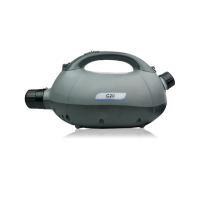
• Clean the resonator.
Remove carbon deposits in the heat tube inside de resonator with the wire brush provided. Use and forward and
backward motion.
The machine doesn’t fog or doesn’t fog enough:
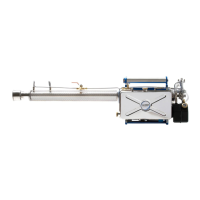
• Check that the chemical regulator is opened. This is done by turning it anticlockwise. Make sure that the Tank
Chemical Supply Valve is set to the open position.
Tank Chemical
Supply Valve


 To Next Page