VECTOR
4:
USER'S
MANUAL
APPENDIX B - TROUBLESHOOT
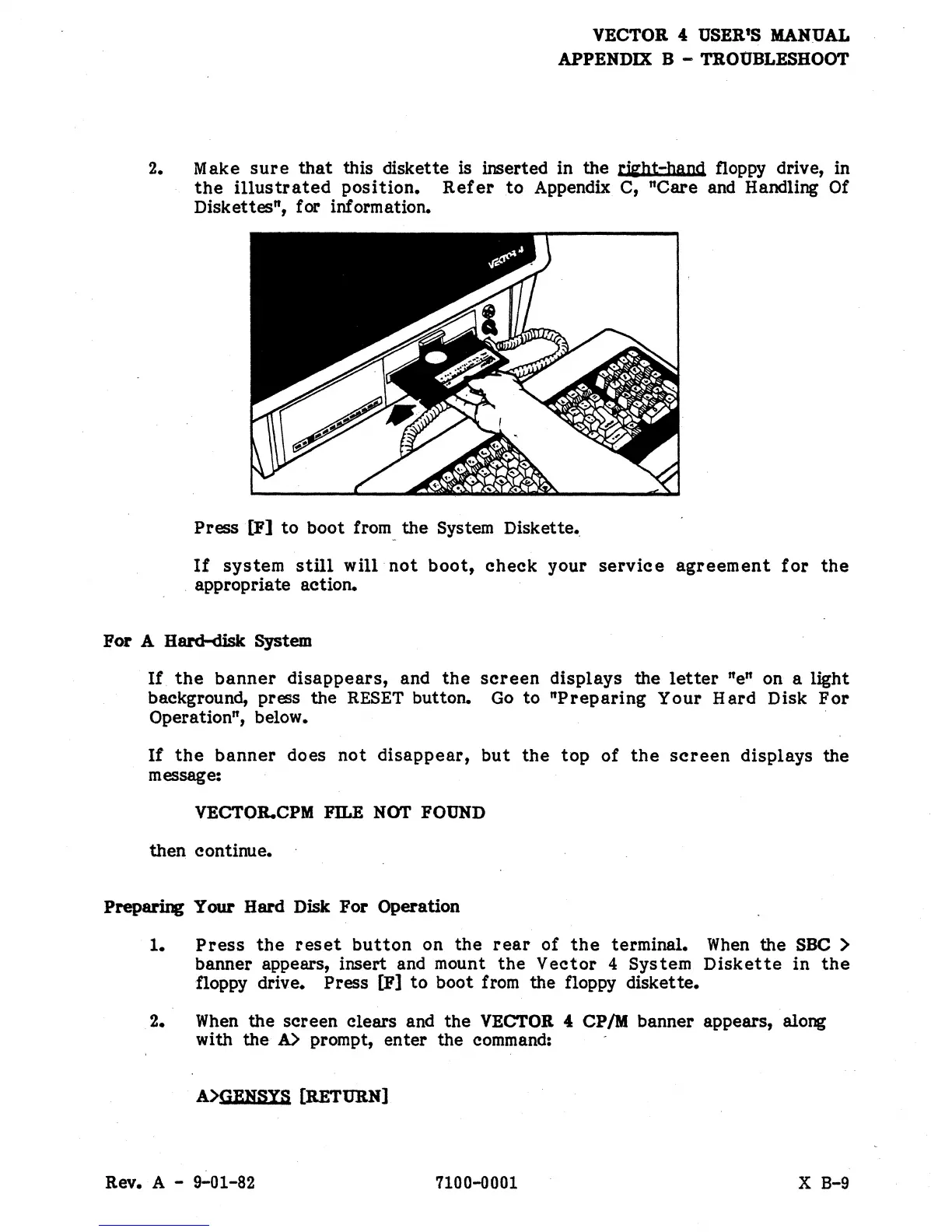
2. Make
sure
that
this diskette is inserted in the rwbt-band floppy drive, in
the
illustrated
position.
Refer
to
Appendix
C,
"Care
and Handling Of
Diskettes", for information.
Press
[Il]
to
boot
from_the System Diskette
•.
If
system
still
will
not
boot,
check
your
service
agreement
for
the
. appropriate action.
For
A Hard-disk System
If
the
banner
disappears,
and
the
screen
displays
the
letter
"en on a light
background, press the
RESET
button.
Go
to
"Preparing
Your
Hard
Disk
For
Operation", below.
If
the
banner
does
not
disappear,
but
the
top
of
the
screen
displays
the
message:
VECTOR.CPM FlLE NOT
FOUND
then continue.
Preparing
Your
Hard Disk
For
Operation
1.
Press
the
reset
button
on
the
rear
of
the
terminal.
When
the SOO >
banner appears, insert and mount
the
Vector
4
System
Diskette
in
the
floppy drive. Press
[Il]
to
boot from the floppy diskette.
2.
When
the
screen clears and
the
VECTOR
4:
CP
1M
banner appears, along
with
the
A>
prompt,
enter
the command:
A>GBKSYS
[RETURN]
Rev. A - 9-01-82
7100-0001
X B-9


 To Next Page
 Loading...