Copyright ©2023 Veeniix All Rights Reserved.
3
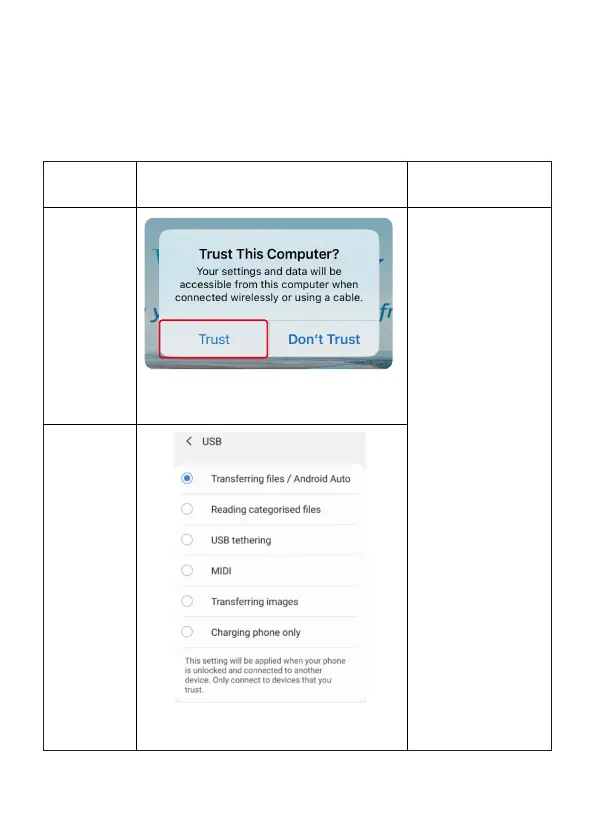
Please select “Trust” to
allow permissions.
3. Wi-Fi Connection Settings
Select an appropriate data cable to connect the remote controller
and the mobile phone, when the correct data of the remote
controller is connected to the mobile phone, the setting option
or prompt will pop up.
Mobile phone
system
IOS
Android
Wi-Fi display
Please select “Transferring files”
to allow permissions.
If you choose other
options, the image
transmission data of
the aircraft cannot be
transmitted
normally, and the
image of the aircraft
cannot be seen.
Please reconnect the
data cable for correct
settings.



 To Next Page