Copyright ©2023 Veeniix All Rights Reserved.
4
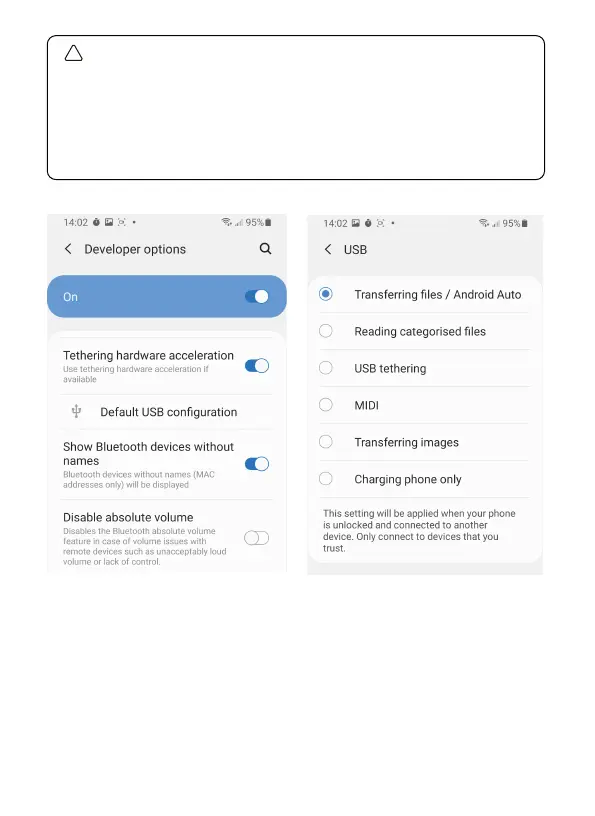
Some USB Settings of Android phones are hidden in the
“Developer options”, you need to change the "Default USB
configuration" to "Transferring files" after opening the
developer mode.
(The way to open “Developer options” varies depending on the
phone model. You can search Google for details.)
!
(Example phone: Samsung S9)



 To Next Page