
 Need help?
Do you have a question about the VeEX OTDR Series and is the answer not in the manual?
Provides contact information and support hours for technical assistance and product inquiries.
Information on product warranty and registration procedures.
Explains icons and conventions used in the manual for clarity.
Overviews key features and connectivity options of the OTDR platforms.
Lists core functionalities, performance metrics, and supported file formats.
Lists the items included with the OTDR unit.
Safety precautions when working with optical connectors and laser sources.
Safety notes for connecting electrical test ports.
Explains the fundamental principles of OTDR operation and distance calculation.
Describes the optional Light Source, Optical Power Meter, and Visual Fault Locator.
Identifies and describes the various ports for OTDR, OPM, and VFL testing.
Illustrates the side and top views of the MTTplus unit, highlighting ports and features.
Explains the functions of the control panel buttons and keys.
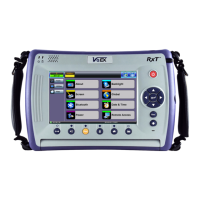
Details the buttons and controls on the RXT front panel.
Provides a quick guide to the Home screen and initial setup.
Identifies test ports and explains keypad functions on the FX150.
Guides on using the FX150 screen tabs and bottom bar for navigation.
Details how to configure the WiFi option for data transfer and upgrades.
Configuration for About, Screen Calibration, and other unit settings.
Settings for LAN, Bluetooth/WiFi, and general device parameters.
Options for managing file storage, screenshots, and remote access.
Explains fiber contamination and recommends inspection with a microscope.
Outlines the procedure and materials for cleaning optical fiber connectors.
Lists recommended practices for handling fiber optic connectors.
Describes common fiber optic connector types like ST, FC, LC, SC, and E2000.
Explains polishing processes and their impact on insertion and return loss.
Describes various styles of fiber optic cable like Bare Fiber, PVC/Plenum, and Break Out.
Explains the role of patchcords and factors affecting their choice.
Explains color coding for fiber jackets and connector boots.
Tips for proper fiber insertion to avoid loss and reflections.
Introduces fiber scopes and guides on connecting them to the test set.
Details setup options, file naming, and hardware/software settings.
Explains capture screen functions like Freeze, Resume, Analysis, and MPO mode.
Covers the process of analyzing connector faces for defects and results.
Describes managing result files: Load, Save, Modify, Pull, and Export.
Critical safety warning about direct VFL light exposure.
Provides step-by-step instructions for operating the VFL.
Crucial safety warning regarding direct exposure to OLS laser radiation.
Guides on accessing and configuring OLS settings and operating the unit.
Steps to access internal/external OPMs and calibrate to the laser source.
Describes OPM options like Wavelength, Mode, Hold, Acquire, Zero.
Provides instructions for using the OPM, including setting reference values.
Steps to save individual readings from the OPM table.
Explains options on the Results screen like Push, Save, Load, Modify, and USB Export.
Covers test modes, wavelengths, parameters, manual/auto settings, and PON types.
Covers other parameters, thresholds, and span settings for OTDR tests.
Covers V-Scout profiles, LinkMap, symbols, and automated test setup.
Covers autosave parameters, cloud credentials, and result saving.
Settings for trace display, grid division, color, and units.
Screen that appears when autosave is enabled and measurement is complete.
Covers event tables, types, and methods for editing detected events.
Controls for placing markers and zooming traces for accurate measurements.
Covers 2-Pt Loss, LSA, Splice Loss, Reflectance, and ORL measurements.
Introduces the OX-MPO-12 optical switch and details its connections.
Guides on using the MPO switch for testing all or individual MPO fibers.
Details trace properties, file formats, and viewing trace information.
Manual and automatic methods for saving OTDR traces.
Saving traces compatible with third-party viewing software.
Optional features for embedding GPS and camera images with traces.
Displays saved OTDR traces and folder structure within the Results tab.
Configures autosave and views bidirectional test results in X-format.
Shows OTDR model, firmware, serial number, and wavelengths.
Accesses saved traces and results, and manages files via the File Manager.
Options for exporting results to PDF, USB, or Bluetooth.
Explains the meaning and requirements of the CE marking.
Details VeEX's policy on hazardous substances and environmental directives.
Provides contact details for VeEX Inc. and Customer Care.
 General
| Event Dead Zone | 0.8 m |
|---|---|
| Wavelengths | 1310 nm, 1550 nm, 1625 nm, 1650 nm |
| Pulse Width | 3 ns to 20 μs |
| Display | 7-inch touchscreen LCD |
| Interfaces | USB |
| Fiber Types | Single Mode and Multimode |
| Operating Temperature | -10°C to 50°C |
| Storage Temperature | -20°C to 60°C |

 To Next Page
