3
4.Tablet Connction
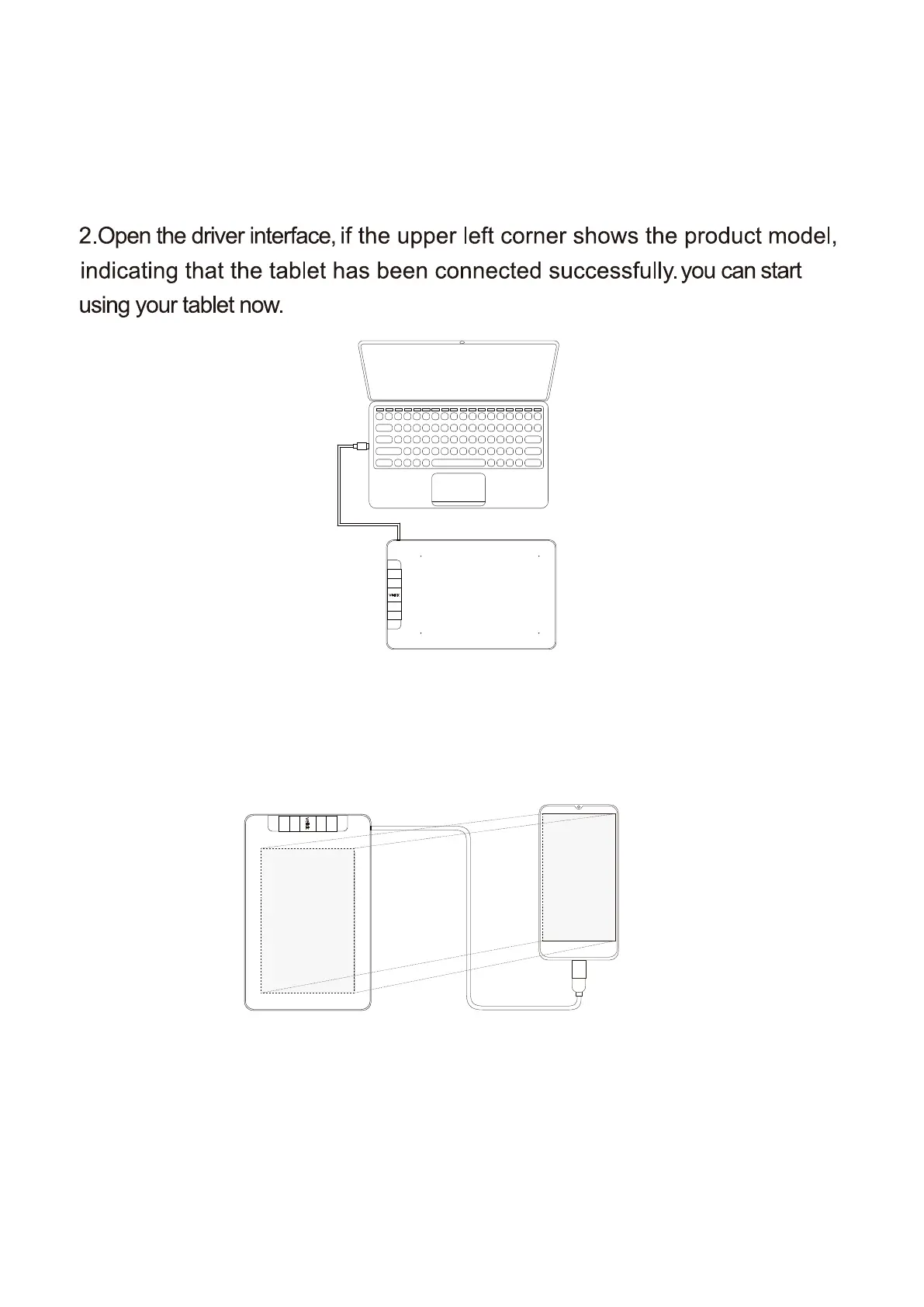
1.Connect the tablet to your computer with USB cable.
For a PC/laptop:
For an Android mobile phone:
1.Please connect the tablet to your phone with the OTG adapter.
2.Rotate the tablet as shown in Figure1,then you can start using your tablet.
Note1: Works in mobile phone vertical screen mode only.
Note2: For some mobile phones, you need to enable the OTG function manually
in the phone’s settings.
Note3: The shortcut keys of the pen and tablet can't work on Android mobile phone.
Figure 1


 To Next Page