Page 4
LCD Display and Controls
Turn On The LCD Display
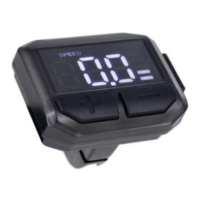
Push and hold the POWER button, positioned on the top left hand side
of the LCD display, for 2 seconds, until the display lights up and switches
on.
Walk Mode
Press and hold the (DOWN) button and the bike will be powered to
6kph walking speed. Simply release the button to stop, this is a handy
function for walking with the bike up steep inclines.
Riding With Pedal Assisted Power
There are 5 pedal assist settings on this bike, level 1 being the slowest
speed and level 5 the fastest (level 1 pedal assist is automatically selected
when the display turns on). Simply push (UP) and (DOWN)
buttons to change between the levels. Pedal assist does not work in level 0
(zero). To stop the motor engaging, simply stop pedalling or pull on the
brake lever to engage the brakes.
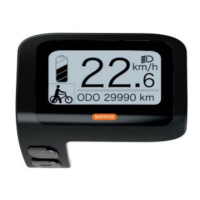
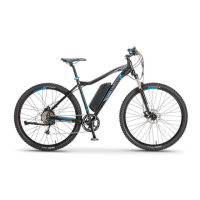
Your electric bike is equipped with a LCD display, mounted on the left
side of the handlebar, and is controlled with 3 easy to use buttons
(POWER), (UP) and (DOWN).


 To Next Page