Page 5
Walk Assist Mode
Press and hold the minus button and the bike will be powered to 6kph
walking speed. Simply release the button to stop, this is a handy function
for walking with the bike up steep inclines.
Riding With Pedal Assisted Power
There are 5 pedal assist settings on this bike, level 1 providing the lowest
level of assisted power and level 5 the highest. Simply push the plus or
minus buttons to change between the levels. Pedal assist does
not work in level 0 (zero).
Odometer & Trip Meter
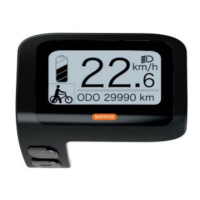
You can choose to display either the odometer or the trip meter by pressing
the power button once. To “zero” the trip meter, hold the power &
minus buttons together .
Error Codes
Should the bike have an electrical fault, an “error code” will appear on the
display. If this occurs, please contact your local VelectriX dealer, who will
be able to deal with the issue for you. Please do not attempt to fix any
problems without first contacting your VelectriX dealer.


 To Next Page