15
• Start “Setup.exe”, this software is located at the folder K8055 from the Velleman Software CD. If the necessary
software is not included or if you want to check for updates, you can always download it for free from our Velle-
man Website www.velleman.be
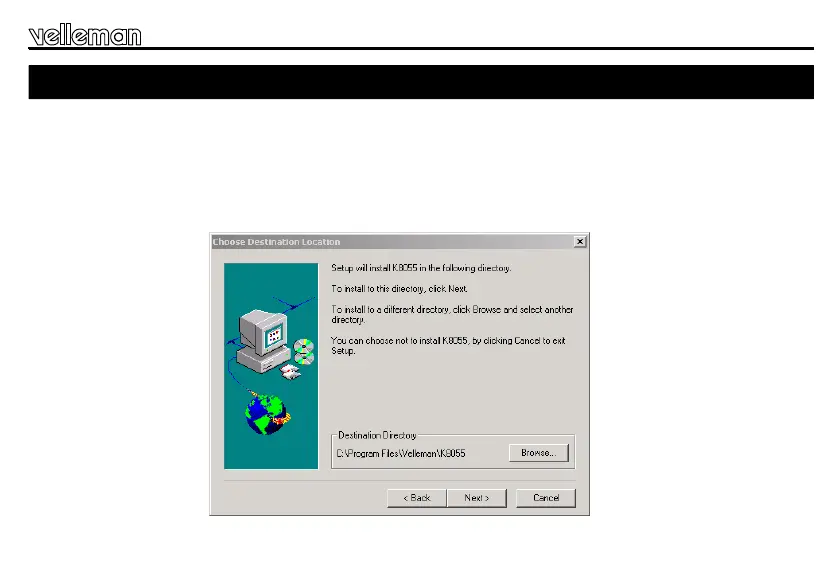
• An installation wizard will guide you trough the installation procedure.
• By default the software is installed in the folder : ‘C:\Program Files\Velleman\K8055’
Fig 2.0
20. Demo-software installation
Software installation & test


 To Next Page