17
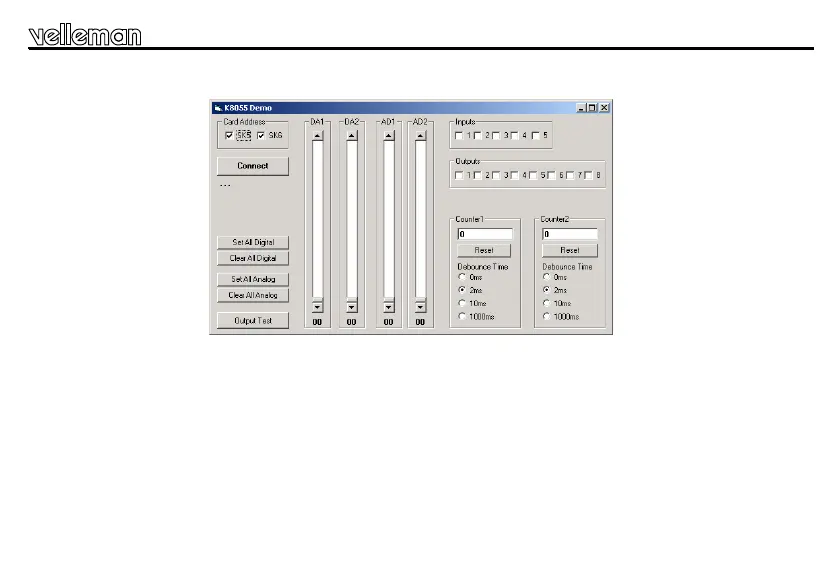
The message "Card x connected" is displayed if the connection is successful, see fig 3.0.
You can now simulate the inputs via push buttons Inp1 through Inp5. The matching check box remains ticked off
as long as you keep one of the push buttons pressed down.
Always tick off the check box for the matching output if you wish to test a digital output.
You can also conduct this procedure automatically : press the 'output test' button or activate all outputs with the
'Set all digital' button. Press the 'output test' button to test all digital outputs automatically.
Test the analogue outputs with the 'set all analog' button and modify the output voltage with DA1 & DA2
FIG 3.0
Test procedure


 To Next Page